Simplify your investigations with Magnet Axiom Cyber.
The following transcript was generated by AI and may contain inaccuracies.
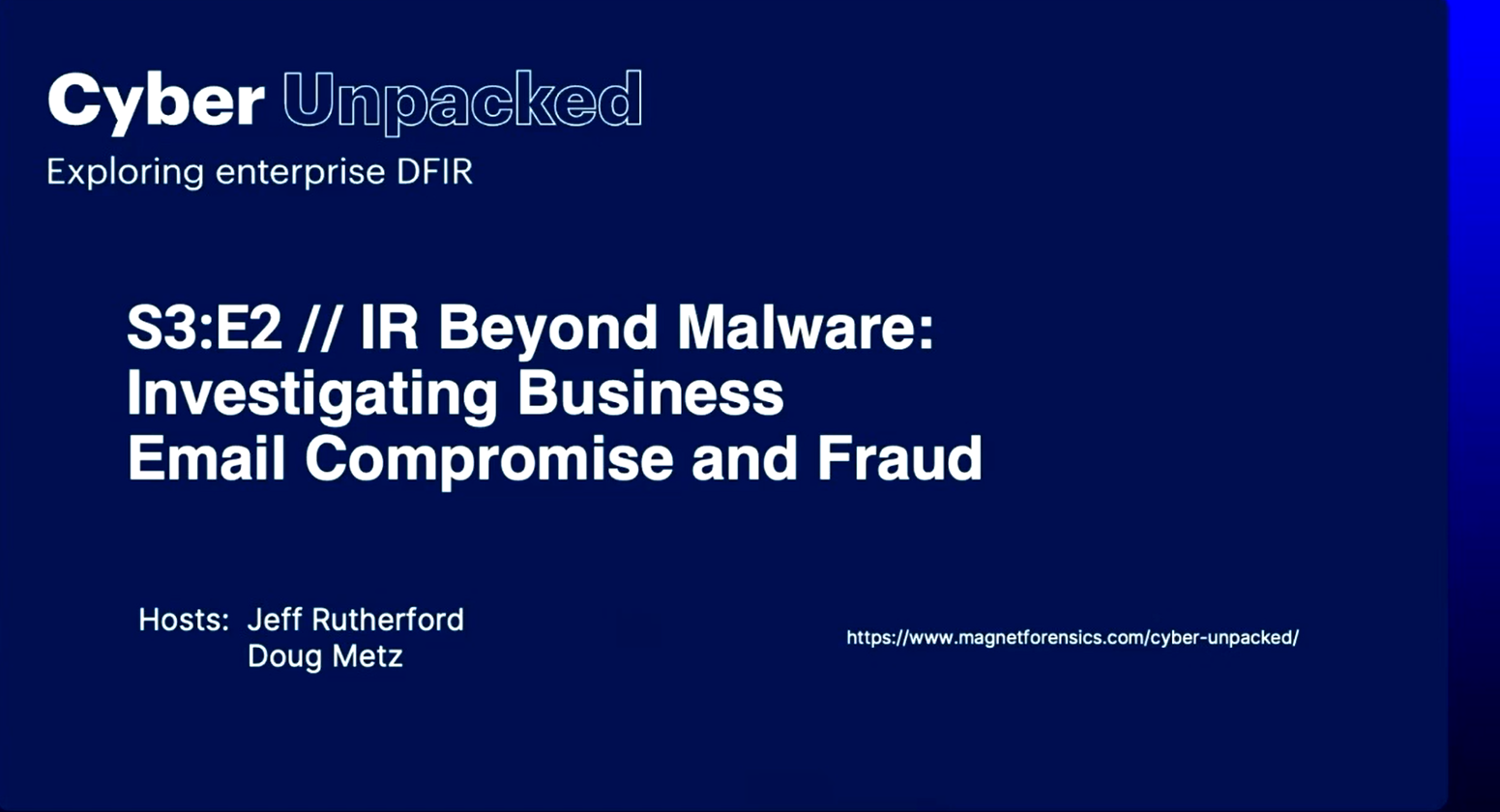
Doug Metz: Good afternoon, everybody, and thank you for joining us for another episode of Cyber Unpacked. This episode, IR Beyond Malware: Investigating Business Email Compromise and Fraud, was first presented at this year’s Magnet User Summit. We’re bringing it back for everyone who wasn’t able to make it to MUS.
For those of you who don’t know me, my name is Doug Metz. I joined Magnet in 2021 after 13 years as an incident response manager. I get to co-host this webcast, Cyber Unpacked, with Jeff, and I also host a blog at bakerstreetforensics.com.
Jeff Rutherford: Hey, everybody. Jeff Rutherford here. I joined Magnet in 2024, and I’m excited to host this episode with Doug. I retired from the FBI, where I spent some time as a digital forensic examiner, and some time as well at the North Texas RCFL.
Here’s a little bit about what we’re going to talk about today. I think this is going to be a very interesting one. We see BEC everywhere in the world. It is such a prolific attack, and we’re going to have some numbers later on that describe it.
Today we’ll talk about the phases of BEC, what kind of forensic artifacts you can expect through the process, and what investigative steps you can take. Then Doug’s got an awesome live demonstration of some software. So buckle up, we’re in for a good ride.
So, the BEC problem. Speaking from my former employment, we saw it was rampant everywhere. I think it was one of those issues where the barrier to entry – the amount of effort it took to carry out some of these attacks – ended up being very low, and that’s why they were so prolific.
We get a lot of news about other attacks, whether they’re locking down your systems or they’re complicated attacks. But in terms of the level of complexity and how easy it is to launch against numerous targets, whatever methodology they’re using, this is why it’s so large.
If we look back at the numbers from a couple of years ago, IC3 estimated losses of $2.7 billion. And we know this number is low, because not every attack gets reported. Not everybody files their IC3 reports, so this is just part of it. How big is the actual problem? I don’t know, but the numbers are staggering.
The average loss per incident could be $129K. It was number two this year behind investment fraud, and it is so prolific that it’s a little bit of everywhere.
So why is this attack different? Most of these attacks involve what we would call phishing. You’re trying to manipulate people into opening up the login prompt and typing in their passcodes. That’s different from a purely technical attack where they’re using software vulnerabilities.
On one particular case we had, a user’s account was compromised because they had clicked on a phish and entered their credentials. But they had two-factor authentication, and the two-factor was simply, “Yes, this is me. I’m logging in now.”
So as the user was sitting at their computer, they were wondering why their phone kept prompting them to click yes. “Yes, this is me. Yes, I’m logged in. Yes, I’m logged in right now.” But they failed to notice that the logins were not from the country they were currently residing in.
So it’s heavy on social engineering. We’re really dependent on the abilities of our users to understand and thwart these attacks, which is why every year we end up with those trainings at the end of the year – at least we do. “Hey, don’t forget, pay attention to your links. Report the malicious ones.” But it is so important.
The other thing that’s different is they’re using your native tools. There’s not necessarily a malware package that comes with every BEC, though you may see one delivered later – the traditional malicious payload.
Once they gain access to your mail, a lot of times they sit there for a while. There’s reconnaissance, and when we look back in time and do some timelining, we can see that maybe this attack took place much, much earlier than you anticipated, because they’re waiting to see the email traffic.
Whose other account might they go after? How do they send other malicious documents around? So it’s a different kind of attack. Again, the barrier to entry is a little lower, but it’s definitely different from a lot of traditional cyber attacks.
So what are the variants we see here? Many of them are variations on a theme. I have personally seen a ton of invoice modification, where they’ve gained access to an account and they’re changing the payment location or the payee on a lot of different accounts.
Another one I’ve personally worked was a vendor email case. The company was paying millions of dollars for rental equipment. The main company had not been compromised, but their vendor was. It was the same thing: a modified invoice was sent to accounts payable, and suddenly, “Oh, don’t forget our new payee address, our new payee account number.”
There was no follow-up by accounts payable. They simply said, “Okay, this is from the correct email address, so we’re going to go ahead and change these to pay somewhere else.” And millions of dollars were exfiltrated out of the country as a result.
So these are all variations on a theme. You’re using social engineering to try to get someone to make a change to the normal process.
Doug Metz: I think that’s one of the things that makes BEC so interesting, and one of the nuances that makes detection difficult. Regardless of how the scenario unfolds, one of the first things you need to determine is where the compromise was.
Is it your own internal email system that’s compromised? Is it your vendor or trusted third party? Is it something in the middle? In cases that I worked, that was always the initial concern: “Is it on our end? Is our email safe and secure?”
Jeff Rutherford: And that’s why, for all of these, as a baseline you should have some kind of check back. When you’re changing the payment account, there should be a callback to your trusted number, your trusted contact: “Hey, are you sure we’re changing this account?” I think that would really cut down on a large number of these.
But a lot of people just don’t. They don’t pick up the phone, so the accounts get changed, the money goes, and suddenly it’s out of the country or somewhere where it disappears. There’s no way to claw it back, and it becomes very difficult to trace.
Doug Metz: Yeah, a couple of pros and cons on the phone call. One, if you are going to initiate a phone call, make sure it’s to the telephone number you have on record for that business, not what they’re including in the email asking you to change the banking details. That’s certainly one caveat to watch out for.
The other is our friend that seems to pop into every episode these days: artificial intelligence, with the capability for voice spoofing. If you’re calling a number the malicious actor has provided, it’s certainly possible they could stand up the infrastructure to impersonate Jeff in accounting and authorize that banking change.
Jeff Rutherford: I have this email address that I’ve maintained since college just a few years ago, and it’s interesting if I ever log back in—
Doug Metz: I’m sorry, did you say you graduated college just a few years ago?
Jeff Rutherford: Well, that’s a very vague, nebulous “few years ago,” so we’ll just keep it at that. But one of the entertaining things about that email is that if I log back into it because I need something, or someone’s contact, the list of phishing attacks is just so prolific.
You see Netflix, Netflix, Netflix, your bank, your bank, your bank. I don’t know what email list it ended up on as part of a compromise, but it just gets phished all the time. This attack reminds me why I would never use that account for anything real anymore. It’s in a bad way.
So let’s talk a little bit about the kill chain, the process here. Each of these individual steps can take a long time. Sometimes it could be a day, sometimes it could be months. Once the account is compromised, it could be a year. We don’t know how long it’s going to be.
You have your initial phish, and once that user is compromised – let’s say it goes undetected at the time – someone is gaining access to those accounts, and they could sit there in the monitoring phase for a really long time.
But commonly we see people go in and say, “Okay, if you see something to do with payment or accounts or accounts payable,” they want to auto-forward it out to their own account. Then, whether it’s the false invoice or the email from the CEO like in the previous examples, the fraudulent email gets sent, and then the exfiltration.
So that’s the common chain we’ll see in this process. But again, there’s no set amount of time. This could be months, it could be days.
Doug Metz: Yeah, as we like to say, it depends. There’s the scenario you were talking about with spoofing, where there may be no account compromised anywhere, and it’s just a send-and-pray approach. “Hey, if somebody falls for this, are they going to send the gift cards or redirect an invoice payment?” But no infrastructure has been compromised.
The ones where there has been a compromise to the infrastructure are, I would say, the more dangerous ones. When the attacker has the ability to observe and monitor your environment, they’re in it for the long game.
Jeff Rutherford: And I think, Doug, you’ve got some great stuff at the other end of this presentation about what kinds of things you want to look for – what the indicators are. We mentioned the forwarding and the rules, but the techniques for actually detecting those are very important, because it may be one of the few ways to understand and identify their persistence mechanisms.
So I’ll keep going with this, Doug, if you’re okay. What do the attackers do? We keep talking about credential phishing, but there are other attacks they can use to compromise an account. You may have utilities that are set to detect some of these things, but maybe not.
So what kind of artifacts are we looking for at this initial login? We have location, location, location – just like real estate, which I’ve got on the brain. That is so important to recognize.
I’ll tell you about one attack that was a more advanced type. The attackers had compromised another network that was not in their country – it was here in the US – and then they were launching their attacks from that compromised machine.
So although location monitoring was great, and it would have flagged the activity had it come from their origin country, it wasn’t flagging any of it because it came from another network that was also domestic.
So not any one of these is the silver bullet that’s going to identify it. But you’re going to see some common ones: failed authentication attempts, and logins that travel across time – and they don’t have a TARDIS involved. They can’t just appear at multiple times in multiple locations. So these are some of the things you may want to look for.
Doug Metz: One thing I’ve definitely seen with location is that it goes back to the size of your enterprise. If you’re a company with a single office in Cincinnati, and all your employees work in that city or live in the suburbs, you’re going to have a much easier time doing location analysis.
That’s very different from a global company in hundreds of countries, where you’ve got people all around the world legitimately logging into O365. It’s something you can still monitor for, but it’s going to grow in scope depending on the size and scale of your enterprise.
Jeff Rutherford: And I think it’s difficult because, as with all things, there’s a balance. I’ve seen it personally in investigations: there’s one particular individual, whether it’s the CEO or perhaps someone in sales, who travels so much that they’ve been given relaxed login controls on their account.
But that made them the perfect vector for this particular attack, because now you don’t have the normal controls. Then you end up with the flip side: it’s so restrictive that every time this user travels, they suddenly have to call into the operations center to get logged in.
So it’s difficult. How do you turn that dial? I know we talked about this in a previous Cyber Unpacked. How do you set your monitoring and your restrictions so that you don’t flag too many items, or not enough? There’s a balance here.
Doug Metz: If I had a dollar for every time there was a compromise due to a special consideration made for an executive, I would be able to pay you three seasons of back salary for these episodes, for sure.
Jeff Rutherford: It’s true. You create this special exception, and then they’re also often the users who are more apt to click on the phishing attempt.
Along these lines, in one investigation we had a particular user who decided they wanted to start mining Bitcoin on their corporate laptop. I don’t know why that felt like a good idea. But instead of going to a reputable source, they went to a site in a country of ill repute, I’ll say, and downloaded the software.
Well, the software was malware – surprise – and the entire corporate network was compromised as a result. But that user traveled so much and had special accommodations that created a scenario where they weren’t being flagged. So that feeds into your story right there, Doug.
So, reconnaissance – the next phase. They’ve gained access, whether through your login or however it has been compromised. Now they just sit and wait. They’re on your network. Maybe they’re waiting for the big invoice to come through. Maybe they’re waiting for a payment.
Maybe they’re finding out who the other users are. Is there another individual they want to compromise or target? I see down here it says searching for invoice, wire, payment, these types of things.
I think this one can also be a very difficult challenge, because how do you filter that from normal activity? We’ve got some great artifacts here, but these are also things that could be created by normal user activity. Again, it’s going to be difficult to tell how they’re monitoring and what they’re doing to maintain access on the network.
Persistence. Again, I feel like this is going to be one of the big tricks, and Doug will dive deeper here. These are our inbox rules: how they’re gaining access, where they’re sending the data, how they’re adding multi-factor authentication methods, how they’re hiding these rules.
These do create some very unique artifacts. A normal user is not setting up these types of forwards, so this is one artifact that I think will give us a unique advantage.
Doug Metz: Yeah. This is, I would say, one of the first points where we see the actor actually taking action. In the previous reconnaissance phase, they may be searching the mailbox. They’re trying to learn what they can about the environment and who the key players are.
But it’s in the persistence phase that they start putting their hooks in and taking action, whether that’s granting other applications login permissions, creating inbox rules, that type of thing. It’s the first time, I would say, that they’re taking a nefarious action on the mailbox.
Jeff Rutherford: So now we finally get to execution. They see there’s a particular payment forthcoming. The email has been forwarded to their own account. Now they can intercept it, generate their PDFs, modify the file, impersonate someone else, divert payroll.
Maybe they see a new employee coming on, whatever the case may be. So now they’re intercepting and putting themselves in the middle of that chain of communications. Again, you have a lot of very traditional email-type communications that can be found in your artifacts: messages sent, and so on.
Sometimes you can get the IP – maybe it has been obscured in some way, but maybe we can find it in the chain of message headers. It’s a lot of very traditional, log-heavy email analysis.
Sometimes it’s difficult because until you’ve found the actual compromised account and you start swimming upstream to track these data points, this activity will absolutely wash through your normal activity.
So I think this is a difficult one to set an alert for, but as you’re doing your investigation after the fact, you can ask: how did they step through these processes?
And finally, exfiltration – whether it’s financial, or whether they’re looking for particular IP that they want to exfiltrate.
Doug Metz: Yeah, I was going to say R&D.
Jeff Rutherford: Yeah. I do remember one case where someone very high up in the research department was compromised, and the attacker sent an email to one of the other researchers: “Hey, don’t forget, you need to send me a copy of Project X,” or whatever they were working on.
Not thinking anything of it, the researcher said, “Yeah, here it is, here it is in the format.” But as soon as it hit that email account, it was auto-forwarded out. It was just one simple email, but they were able to get a whole ton of IP exfiltrated out of the company as a result.
That was just one compromised account, one auto-forward rule, and one malicious email. Those three individual artifacts were enough to get some key IP out of that company. So again, there are definitely some key artifacts here amid a lot of normal activity. But that forwarding artifact may give you something you need to look for.
So the key takeaway when we look at this chain is that it’s definitely a multi-phase attack. There are distinct key points in time and key phases to it. But the persistence mechanisms – the auto-forwards – are definitely going to be key to finding out where it came from.
You may have to look back more than just your normal last month’s worth of log files or emails. This compromise could have happened way before that 30- or 90-day window. I’ve seen this in person, so I’m sure, Doug, you’ve seen it happen outside the window quite a bit too.
Doug Metz: Absolutely. From here, we’re going to jump into some of the forensic artifacts and log sources – essentially, where does this evidence live in Microsoft 365?
I’ll preface this by saying that Microsoft frequently changes the names of their logs and their services – Compliance Center, Purview, etc. So if you’re referencing these slides or this recording at some point and thinking, “Well, that name doesn’t match,” it did when we wrote it.
That applies to the retention times listed for the logs as well. Those are also at Microsoft’s discretion to change, and they’ll vary depending on your licensing level, in terms of both the default and the potential retention capabilities.
Some of the logs we’ll look at are the Azure AD sign-in logs, the unified audit log, mailbox audits, message tracing, and the admin audit logs.
Sign-in logs are going to be important because they essentially record every authentication attempt against Azure AD resources. We list here where in the portal you’ll be able to pull those down, though again, navigation may change as the portal changes.
Some of the key information you’re getting is the IP address, location, and details about the device that’s connecting. Things you’re going to be looking for are new IPs and locations, and situations of impossible travel. Your retention here by default is 30 days; depending on your license level, you may have up to 90 days.
The unified audit log is your central repository for all M365 activity. Whether we’re talking about Exchange, SharePoint, Teams, or OneDrive, all of these feed in here.
Critical events available here include mail items accessed, new inbox rules, Send As operations, hard deletes, and adding an application role. This is, I would say, the gold standard and the most comprehensive source for your account activity. Again, retention times vary depending on your license level.
Mailbox audit logs track actions on mailbox items: what items were accessed, folder operations, Send As operations, and again, hard deletions, creations, and updates.
Where this comes into play is in one of those long-tail investigations. Let’s say the particular compromise in your case involves emails that reference your customer data. Within those emails, you may have one with a spreadsheet full of customer data, including PII, and you’re fortunate enough to be doing business with customers all over the world.
The exposure of that email and spreadsheet, depending on the contents, could have GDPR notification impacts. So being able to track down to the level of what messages were available, and what messages were accessed by the attacker, is definitely going to inform the scope of your reporting.
I would use message trace frequently in my phishing investigations. Essentially, you’re tracking where the messages went, who they were delivered to, what the delivery status was, and whether they were opened, actioned, or forwarded. One of the examples we’re going to look at coming up is fraudulent emails sent by the attacker when they had a foothold in the company’s mailbox.
OAuth and app permissions are, I would say, an area that gets overlooked by novice examiners. Frequently, the examiner is going to be looking at the mailbox itself: what did the user do, what was forwarded, what was the mailbox activity?
But an application might have been given permission to the mailbox, and there are a million different flavors of how that could come about. A user signs up for a tool or an application – “Click here, because the application wants access to your calendar.” That’s essentially the flow it goes through.
Once that application is granted access, if it’s malicious, the token it’s using can be reused going forward. Even if there’s MFA on the account in question, depending on the OAuth application, that token could be reused to give the attacker persistent access.
Some of the red flags are applications with mail read and write capabilities, suspicious names, and certainly consent granted during what you’re investigating as your breach window. “We know we were breached in October. What do you know – on October 2nd, a new OAuth application was granted access.” Could be a clue.
Then we’ve got Exchange transport rules. These are server-side mail routing rules, and they can be hidden from the Outlook user interface. There are a couple of different ways transport rules can be implemented.
One of the most dangerous – and honestly, I don’t think it’s a very frequently used feature – is that you can set a transport rule as hidden. In that case, if a user goes into Outlook and opens up the rules panel, they’re not going to see it.
An example of a valid hidden rule would be if you’re working in, say, the financial industry, and you’ve got a regulation that all messages must be copied to a compliance mailbox.
That’s something you’d set on the server end to support that compliance function, but it’s not necessarily something you’d want visible to everybody in the organization: “Oh, hey, this message was also forwarded to [email protected].”
However, if a bad actor gets admin access to your environment and sets up transport rules with this hidden parameter, you’ve got an even harder time identifying that activity. Or, if you search based on the hidden attribute – even if you didn’t know that was an Exchange feature – it might stand out, because the only hidden rule is going to be the one created by the attacker.
Other artifact sources include Azure AD risk detections and your conditional access logs, which again come into play with impossible travel situations. There are also admin audit logs, Cloud App Security alerts, and any endpoint detection, if that’s available.
As I mentioned, retention is a big, big factor here. One, because it varies depending on your licensing tier, and two, because it depends on when you’re alerted to the need to collect these logs.
You’re really going to be under a time crunch. If your first discovery of the attacker activity is three weeks into their campaign, and you’ve only got 90 days or 30 days of logs, that certainly puts a box around your investigative capabilities.
So my recommendations would be: one, know what your license entitles you to. Two, if possible, push for a higher license tier for the additional security value. And three, run those collections as soon as possible, because those items are going to time out and drop off quickly.
As far as best practices for log collection go, it’s better to collect broad – you can always filter. It’s not really possible to go back and say, “Let me recollect those, and I’ll use a bigger net this time.” Given how quickly logs retire and fall off, it’s a safer bet to collect broadly than to collect too narrowly.
You can utilize collection tools, some of which we’re going to touch on shortly. Make sure you document your collection timestamps and methods for your chain of custody. Exporting to common formats like CSV and JSON is going to help with your timeline analysis.
And absolutely preserve your original exports. Don’t rely on just the filtered, processed versions. All right – at this point, I think Jeff is going to take us through some playbook strategies.
Jeff Rutherford: Doug, one of the things you mentioned throughout that section was log file, log file, log file. I see log files raining down upon us! So now let’s move on to the investigative portion.
We love log files, don’t we? There can never be enough log files. But the important thing is that if you’re not collecting them, they may not include the window you’re looking for.
When you come upon a case, whether you’ve identified that the fraud has already occurred or you’ve found some of the forwarding rules, that’s the start of your investigation – and it could be at the very end of the whole compromise.
So what was the impact? What was lost? Who was impacted? Sometimes it can be difficult to identify the scope. Are there additional business impacts? Are those credentials still compromised? What are their persistence mechanisms?
And oftentimes, especially if you have a significant loss, was law enforcement notified, and what can and can’t you provide to them? These are your initial triage questions, because you’ve got to get an idea of when it was identified, who was impacted, and how far back in time you need to go.
There are a couple of tools here, and we’re going to see a demo of them from Doug in just a minute. When we’re looking at our logs, we certainly have AXIOM Cyber, but we definitely need a way to triage these logs.
I joked a second ago about logs raining down from everywhere, but the ability to triage through your data and swim upstream is absolutely critical. If you’re trying to manually run through these logs, you’re going to go crazy. So having a broad-based investigative toolkit that lets you filter through this data is important, and I’m sure Doug will underscore this point in his demo.
You’ve also got to establish that baseline. How do you identify when the abnormal activity started? How far back do your logs go? Do they contain the additional information? Were any additional accounts compromised beyond the initial one? Can you find any lateral movement – any of the more traditional things?
What were their persistence mechanisms? What were they looking for in particular? And when it finally got to the execution phase, do you have a capture of the emails that were sent?
In a lot of these attacks – and I think Doug had this in one of the logs – there’s an auto-delete. They’ve compromised the account, they’ve forwarded the emails, and they go back through and delete their tracks. How can you track exactly what they did, including these deletions?
Then how do we assess the exfiltration? What was stolen? Was it an invoice, with a pure monetary value, or was it some of your IP? All of these things are part of what you’re analyzing.
When you dig a little deeper, following the emails is going to be critical. You might be able to get some location information from your emails, certainly through the headers. Was there something unique to this attack that left a particular fingerprint you can search for across all of your different log files?
I think we’re going to really focus on the forwarding rules in the demo portion. And personally, I like timelines. I think a timeline is very helpful. At the end of the case, you’re handing off your report to perhaps both technical and non-technical stakeholders.
Can we take the individual items and put them all on one timeline? I think that’s a very powerful thing to hand out: here is when the compromise happened, here is when we see the email that was noted and forwarded, here is when the attack actually took place, and here are some of the tools they used.
Doug Metz: So as a summary of the red flags, if you will: new geographic locations in your sign-in logs. Again, depending on the size and scope of your enterprise, your mileage may vary in how easy it is to detect that needle in a stack of needles.
Bulk email reading events in a short timeframe will stand out as well. That’s not necessarily something you’re going to trigger an alert on, but it’s certainly something to look at as you go through the investigation.
Searching for financial keywords is going to be a red flag. Forwarding to external email addresses. Again, OAuth applications with mail permissions. Any emails that are sent and then immediately deleted. And, as I mentioned, impossible travel – being in two locations simultaneously.
Some of the common investigative pitfalls I’ve seen: first, only looking at the sent dates. You’re missing the weeks of reconnaissance going on beforehand – what was the attacker looking at? What were they monitoring to learn the environment?
Another is assuming that a password reset fixes it. In the case of OAuth applications being granted permission, if you change the user account password, that OAuth credential is still valid, so it needs to be revoked as well. Also, make sure to check the server side for transport rules, not just what’s in the user’s Outlook interface.
Then there are insufficient look-back periods. As we said, these campaigns could run 30 to 90 days, or beyond. With the logs, we’re pretty much restricted to 30 to 90 days, so if it goes beyond that, we’re already starting in a difficult position. But make sure you go back as far as possible to get the full scope of the investigation.
As far as evidence preservation goes: create forensic copies of the mailbox, preserve email before any hard-delete purges expire, document all searches and exports with timestamps, and maintain your chain of custody for legal proceedings if things are going to head that way. Store your exports securely and treat them as legal evidence.
Consider initiating a litigation hold if legal action is anticipated. This is another area where you want to have a conversation with your internal counsel or legal team.
Turning on legal hold may make the most sense for preservation, but there could be ramifications – the very fact that an account was put on legal hold may carry a particular legal context in your environment. So consult your lawyer. I am not your lawyer.
For containment actions, you immediately want to disable the compromised account and revoke all active sessions. Once again, revoke those OAuth application consents, reset passwords, make sure MFA enrollment is required, and block attacker IP addresses if you have that ability at the conditional access level.
Certainly notify your finance team, because you want to get ahead of it on the business operations end of things as well. And you’re going to be monitoring for attempts at re-compromise.
As for remediation recommendations from a technical perspective, MFA has absolutely got to be in play. But as in Jeff’s scenario earlier, you have MFA fatigue. Depending on how it’s configured and monitored, if a user is just going to hit yes on every request that comes in, MFA isn’t going to help you. Also review your OAuth app policies: who is able to add an application to the O365 tenant?
From a process perspective, again, there are wire transfer verification processes. We talked earlier about out-of-band phone calls and some of the risks there.
Monitoring comes into play too, and again, your mileage will vary. Impossible travel is probably one you’ll want to pay more attention to. Message forwarding rules will depend on your organization. It’s probably easier to have a fixed policy that you can’t create a rule that auto-forwards messages outside of your organization than to try to be more granular.
Jeff Rutherford: Along with that, as with any other compromise, we have a race to remediate. I think business email compromise gets knocked a lot, but it’s such a common attack vector that we have to treat it like any other attack. There is intel that can be gleaned from it. We’re going to see Doug generate a bunch of intel when he goes through the demo.
How can we take that to harden our network and our users? We want to rush to remediate – nuke that user account and try to get back to normal. But there may be things we can gain by putting the data into AXIOM Cyber and filtering to find out what we can feed back as threat intelligence.
I would include that as part of your investigation documentation. What were the mechanisms used? In addition to how and which accounts were compromised, what specifically did they use? Are there particular rules you can put in place to help automatically identify these?
Is there a particular user who has been compromised several times? Maybe there are direct actions that need to be taken. All of that gets lumped in here. We’ve created our documents and collected our evidence – what can we do to take it one step further?
Then, of course, what containment actions did we take, and what did we do as part of our remediation? All of that needs to be documented, not simply forwarded on, and taken into the overall incident cycle.
So what are some of the key takeaways? Certainly, document. Start with your triage. Do you have any automated tools that can help you identify some of these things? I know I say “timeline” a lot, as we’ve seen in this Cyber Unpacked, but how do we correlate this with what was going on in the business?
Then there are the persistence mechanisms. If we don’t fully determine the scope and we go to remediate too fast, we may miss forwarding rules still in place, where your attacker is still gaining access to the data even though they may not have access to the account anymore.
So being able to thoroughly go through these things, document your results, and contain as soon as you possibly can are the key takeaways from the process. How do we get through these steps faster?
Doug Metz: Okay, as promised, we’re going to walk through a case at this point. Our scenario: on April 1st, Acme Industrial contacts the accounts payable department regarding a Q1 payment of $480,000 that was not received. Accounts payable says, “Wait a minute. We sent that on March 18th. We’re good.”
The payment traces back to an email from the CFO directing updated banking details for invoice number 4821. The banking details do not match Acme’s records on file, and our CFO denies sending the email. So what happened, and when?
First off, we’ll start with AXIOM Cyber. With the cloud capability, we can link directly into O365 as an administrator and pull down the user mailbox and the unified audit log. In this case, we’re going to pull them down for our suspected compromised CFO.
One of my pro tips in this scenario is to have a keyword file that is just chock-full of BEC goodness. In there, you’ll have strings for forwarding rules, deletion events, things like that. Are these things necessarily going to be malicious when you find them? No.
But by stacking this keyword file on top when you do your processing within AXIOM – well, let’s just jump right to it, shall we? – it auto-highlights the results. In this case, one of the keywords I’ve set up is for new forwarding rules. So right away within my investigative data set, I’ve got some things standing out as what I should look at first.
Here we see that a rule was created on March 13th to auto-forward and then delete financial messages to an external email address. And we have an IPv6 address associated with that activity in O365.
If we drill in here, on the left-hand side we’re looking at how that rule is represented – what you’d see within AXIOM as you look at that log event. And here’s what you’d see from a user perspective if the rule was created within Outlook or a mail client.
In this case, the rule has a name, MF Dev alerts, and if a message contains the keywords “wire,” “payment,” or “invoice,” it’s going to send it to an external ProtonMail address and then delete the email message.
On the previous screen, we saw that the rule creation traced back to an IPv6 address. If we do a quick lookup on it, we can see that it ties to Singapore. So again, already a little suspicious. Well, based on the content, it was already suspicious. I don’t know if being created in Singapore makes it more suspicious or “suspicious plus.” It was already suspicious, and now it’s looking worse.
If we take that IPv6 address and use it as a pivot point within AXIOM, we can see all the activity from – we’ll assume – the attacker at this point.
However, one thing that stands out to me is the timeframe. Granted, this screenshot is truncated, but I give you my honest, solemn promise that the only activity tied to that IP address was on March 13th. What do you think, Jeff? Did they do everything on the 13th?
Jeff Rutherford: I would be surprised.
Doug Metz: I would be surprised as well. So we’ve got a lot of activity here. We can see what items they accessed when they logged in, and we can see the rule creation. But our scope probably goes bigger than that. If we start looking at all the activity against this particular mailbox, we can start mapping it out to different locations.
For my investigation, essentially what I did was look for all external activity and then filter out a couple of known goods. What’s the IP space for the headquarters of the company we’re investigating? That’s going to be normal noise I don’t need to look at. IP addresses I can trace back to Microsoft – probably not something I need to be concerned with at this phase of the investigation.
Once I’ve eliminated those, I can scope out what my investigation looks like from there. Using that as my lens, we can now see that the first observed account login activity was from an IPv6 address in Germany on March 6th.
That certainly expands our investigation timeframe. What we were able to track so far was on the 13th; now we’re looking at the 6th as a possible earlier start date for our investigation.
If we go back to our user mailbox and start looking around March 6th, we do see a suspicious message about account activity. This was in fact the phishing lure through which the CFO’s password was compromised.
They got a phishing message about fraudulent account activity – ironic, as it was about to lead to fraudulent account activity, but hey, that’s how they roll sometimes. Once the CFO responded to the email, clicked through, and entered their username and password, those credentials were transferred to the attacker, who now had access to the mail account.
That’s why we see the attacker start logging in on March 6th. Also within AXIOM, we can see the message chain on the 17th, where a message is received from Acme about an invoice, and later the attacker, impersonating our CFO, sends a message to accounts payable with the changed payment details.
Again, we’re pulling this all from the AXIOM extraction of the O365 collection. So here we’re seeing the fraudulent message sent by the attacker with access to the CFO’s mailbox.
In addition to doing our collection with AXIOM Cyber, one of the tools I like to leverage is a tool called Hawk. Essentially, you run this against your O365 environment.
Just like AXIOM Cyber, you need administrator-level credentials to run this type of collection, but it’s fairly straightforward to do. I’ve called out the syntax on screen: Connect-ExchangeOnline.
In my case, I use the -Device parameter, because I found that when jumping through these sessions – in my case leveraging multiple remote desktop hosts and different credential sets – using the collection device just seemed to be the most stable option in my workflow.
Then you install the Hawk module and, in this case, run Start-HawkTenantInvestigation. The tenant investigation is your broad-lens look, if you will, at the entire O365 tenant.
In a highly simplified sense, it performs an operation similar to what we were doing with our keywords in the AXIOM Cyber collection. It looks for risky or potentially concerning situations, so it will call out things like new rules being created, forwarding rules, and possibly bulk deletion events.
Again, these things could certainly be valid within your environment, but if you have to start somewhere and don’t know where to start, this is your starting point.
Here we see an example of some of the initial findings from Hawk. Depending on how well you can read, this is a bit of an eye strain even for me. But you can see it’s got certain events prepended with “Investigate.”
Those are the events it’s calling out for you: “Hey, mailbox permissions were changed,” or “A new forwarding rule was created.” Whatever it bundles into its taxonomy of “you should look at this,” it calls out for you ahead of time.
When Hawk runs its operations, it outputs everything into CSV files, which brings us to a quick transition into another open source capability.
Hawk and many other tools you probably work with export their data to CSV, and frequently we want to bring those CSVs into AXIOM to support the timeline and a more robust investigation. Sometimes it’s a bit of a niche source, and it’s not something AXIOM supports as an artifact per se. But there’s still value in bringing those CSVs into your case.
With that, we have released an open source Python script, available on the Magnet Forensics GitHub, that will generate AXIOM-compatible custom artifacts from just about any CSV you can throw at it.
These are great for anything involving timelining or location data. There’s more to come on that, but if you’re interested, check out the GitHub. That’s essentially the magic layer that brings our Hawk output, and later outputs, into AXIOM Cyber for us to process and examine. Here’s an example of our Hawk results now within AXIOM Cyber, so we’re able to tag them and integrate them into our case as well.
Another open source tool I utilize is the Microsoft Extractor Suite, from Invictus Incident Response. Again, the syntax for getting it initially running in your environment is fairly straightforward and has been provided here.
When it comes to the collection, it gets a little more – I don’t want to say clunky – nuanced, maybe. Particular formatting is required, but I would say it’s pretty legible.
In this case, we’re collecting the unified audit log for this particular user. We’ve got our start and end dates, the operations we want to filter for, where we’re going to save our output, and the format it’s going to be in – in our case, CSV.
Given the way Extractor Suite saves the logs out, I found it was a little better to do some pre-manipulation before ingesting into AXIOM Cyber, so I’m sharing the syntax I used for that.
Then the same thing for Azure Active Directory: we’ve got the collection we’re going to run, and a quick rename operation before throwing it into the custom artifact generator.
The Microsoft Extractor Suite also has a message trace capability. Whereas Hawk is more about investigative log exporting and log examination, with Extractor Suite you can generate message traces as well – so why not bring those into our BEC investigation?
Once we pull all of those in, we can see all the login activity from the CFO account – whether that was in Germany, Singapore, or anywhere else we were able to track it to – captured within our case. We’ve got the full message auditing: what was read, forwarded, and deleted, and from where.
Again, think of that situation where you’ve got GDPR-sensitive customer PII sitting in an Excel file, in a message accessed by the attacker. You can now go to your legal and compliance teams with full confidence that it is in fact a very bad day, and not just a suspected bad day.
Here we’ve got an example of that message tracing preserved within AXIOM Cyber. As for deep-dive timeline analysis, this is great because we can take our artifacts and the whole attack flow, going back to the initial phishing message where the user was compromised.
We can see the evidence of the fraudulent message sent by the attacker impersonating the CFO. We can see all the activity logs and tie it all up nicely within our case in AXIOM to build a definitive timeline.
Jeff Rutherford: So what does all of this mean? Doug just showed you, across multiple pieces of software, how we’re able to take all of these different sources, put them together, and build out our timeline, including with the custom artifact generator. I think this gives us a more complete view of what happened.
Starting with the initial phishing compromise – though some of your logs won’t go back far enough to see this. You can see the impact, but you may not have the content, or it may have been deleted.
We have our initial compromise. We have the unexpected login, which geolocation may or may not catch. After that, the attacker gains access to the mailbox, and that goes on for several days.
From there, we see the inbox rule creation. This is where we start seeing the forwarding. Now invoices start flowing in, and the attacker is purposefully sitting on the network, watching the traffic to and from our compromised user.
Then an invoice is received and rerouted with modified banking details. We can see that as we look at the individual emails, the traffic, and the logs all together. Our accounts payable paid the transaction – and then, of course, where did the money go? It didn’t go where it was supposed to.
This is the point where our investigation starts and our timeline ends. And I feel like when you were creating this demo data, you pulled information out of cases I’ve worked in the past. This is a pretty common timeline for what I’ve seen and actually put hands on, and we don’t get involved until the very end.
It’s important to capture and document as much as possible, including for your non-technical stakeholders. You may be talking to your legal team about what this actually means. Showing them the log files Doug was looking through earlier is probably not going to help our legal staff. But putting it on a timeline and showing them exactly what it means absolutely has value.
Doug Metz: Another thing this highlights is, again, the sensitivity of these investigations to retention and timelines. In our case, the attacker was in the environment from March 6th going forward.
We weren’t alerted to a need for an investigation until April 1st, and that came essentially from, “Hey, pay my bill. You didn’t pay my bill.” Then they start looking. You’ve got almost a two-week period from March 18th until the investigation starts. The ability to claw back that money at that point – I’d say it’s gone.
The other thing that comes into play is the log retention we kept talking about. Some are only 30 days, some are 90 days. If you start your investigation on April 1st and you’re limited to 30 days, you’ve essentially got March to look at and nothing else.
If that attacker was playing more of a long game, or simply hadn’t been detected and was in the environment earlier, you’re going to miss a lot of the activity from before the logs rolled over.
Jeff Rutherford: I’ve seen many of these cases where the dwell time on the network was not a short seven days. They’re looking for something in particular. The game is on for them: they’ve gained access, so what’s the biggest thing they can find out of your email? Or maybe they need to target someone else in the process.
Either way, your dwell time can frequently be longer than your log retention, and I think that’s a common theme we’ve raised throughout. When you try to roll back in time, sometimes you can’t find that initial attack vector. It can be challenging.
So what ended up being our key pieces of evidence – our smoking gun? We can show the emails from the attacker’s IP, and certainly the forwarding rules. Doug, I feel like this is one of the key parts of the overall process. What was the reply sent back out? Suddenly we have our new routing number and our fraudulent account.
So those were the key things you pull out, whether from the individual logs or the actual emails themselves.
Doug Metz: As for key takeaways, hopefully from the demonstration: use automated tools and keywords. As we said, we’re hunting for needles in a stack of needles, so anything we can do to cull the evidence and put a more defined lens on it is absolutely helpful.
Timeline the full narrative of the attack. And as I’ve said multiple times throughout the session, OAuth applications are certainly something to be aware of in how you’re handling them.
Follow the account, not just the IP address. As we saw in this case, the attacker certainly bounced around infrastructure-wise. Use multiple tools and correlate between them so that you can fill in all the gaps in your timelines. You’re going to have to depend on multiple sources and multiple logs to tell the full story.
And again, geographic and session anomalies can sometimes tell the story before the logs even confirm it.
As promised, we have our resource slide here, with links to the scripts we discussed and the open source utilities available. Jeff, anything you wanted to add?
Jeff Rutherford: No, I feel like this is a very good, detailed look at the mechanisms, what key artifacts to look for, things you perhaps haven’t thought about, and the key to remediation – how do you make sure you’ve closed all of those gaps?
I think your demo really shows how you can collect this data from multiple sources and put it all together in one timeline. All of this together is a great flow that can help you through your normal daily work.
But we can’t sleep on BECs. They’re not considered a top-tier attack, yet they’re so prolific that we’re seeing them every day in our environment. So it’s just something we need to be aware of.
Doug Metz: All right. With that, I think we’re going to call it a wrap. Thank you for joining us for yet another episode of Cyber Unpacked. Be sure to check the website, where you can register for upcoming episodes as well as review the back catalog. And with that, we’re going to say goodbye.
Jeff Rutherford: Awesome. Thanks, everybody.
Doug Metz: Thank you.