Amped Software has recently launched a new blog series dedicated to the presentation of digital multimedia evidence in court. The first article in the series, “How to Prepare Compelling and Safe Digital Multimedia Evidence for Court with Amped Replay,” looks at how Amped Replay can be used to prepare video evidence for courtroom presentation.
When dealing with digital images, video and audio material, the way the evidence is presented can have an important impact on its effectiveness. The presentation format should therefore be considered carefully from the early stages.
From Investigation to Courtroom Presentation
There can be quite a difference between the intelligence and information gathered during an investigation and the evidence that eventually makes its way into the courtroom.
During the investigative stage, Police may be working to establish the who, where, when, how and why of an incident. This may involve extracting video evidence, viewing footage, identifying suspects and collecting other relevant information.
Once there is enough evidence to move the case forward, the material is passed to the prosecution team, which will assess it and decide whether the case should proceed to court.
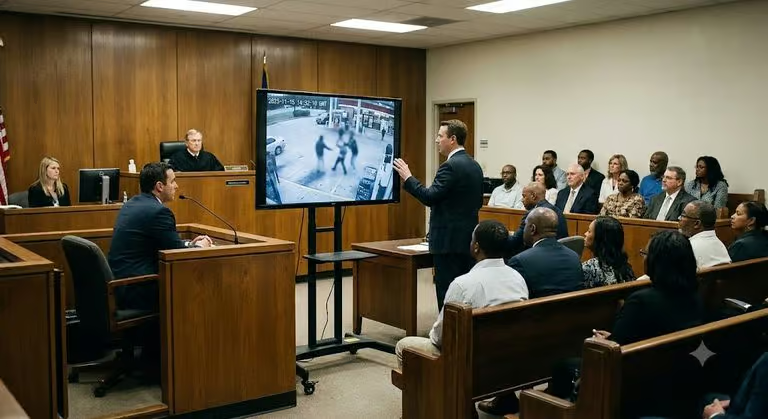
At trial, however, the focus is on the evidence that can actually be verified and admitted in court. This means that the way digital multimedia evidence is prepared for presentation may be quite different from the way it was originally used during the investigation.
Moving Footage, Still Images or Documents?
When dealing with digital multimedia evidence, whether that is video, images or audio, the way it is presented in the courtroom can be key to its success. So, the presentation format is something worth thinking about from the very beginning.
Playing the video may seem like the obvious choice, but it is not always the best one. Sometimes, it may be easier and more effective to extract the relevant frames and use them to create a chronological sequence of events instead. The best option will depend on the crime itself, the question being asked of the video and, of course, the technology available in the courtroom.
And there are some very practical things to think about too. Before presenting video evidence in court, it is worth checking:
- Is the room equipped with enough screens for the witness, counsel, judge and jury?
- How will the video signal be broadcast across the courtroom?
- Is the room adequately lit?
- Is light reflecting onto any of the screens?
- Is the resolution of the video evidence appropriate for the resolution of the screens?
Planning these in advance can help avoid problems later during proceedings.
Where possible, it is useful to discuss the presentation format with the officer in the case and/or the prosecutor before the evidence reaches the courtroom.
Consider the Context of the Footage
Selecting a shorter section from a longer recording can make perfect sense when the event of interest only lasts a few seconds. But be careful when deciding exactly where to start and stop.
For example, you may isolate the footage showing an assault, while an earlier part of the same recording contains something that is also relevant to the case. Perhaps there was an interaction between the people involved beforehand, or something happened that provides additional context to the event itself.
In situations like this, showing only the isolated incident may not tell the full story.
It is important to remain unbiased and remember that the duty is to the court, not to the side you are working for. If there is any question about whether more footage should be shown, it is much better to resolve it before the material reaches the courtroom.
Playback Compatibility
One of the most common issues affecting video evidence in court is playback compatibility.
Surveillance footage is often stored in proprietary formats that require dedicated software, players or additional video components. These may not be available on the computers being used in court.
For this reason, the footage may need to be converted or exported into a more widely compatible format before presentation.
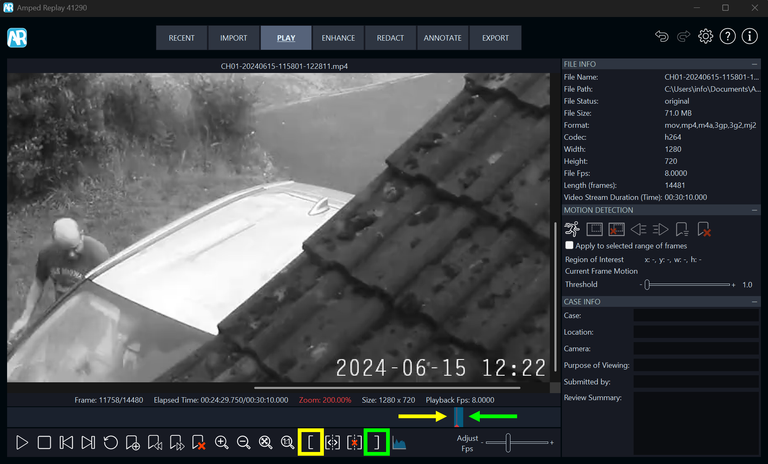
Amped Replay can be used to open supported video material and export it into a format that can be played on standard Windows or Mac computers without requiring additional software.
The important point is making sure the material can be played correctly before it is needed in court.
Check for Technical Issues
Before presenting video evidence, it is also important to check if there are technical issues that may affect how it is displayed.
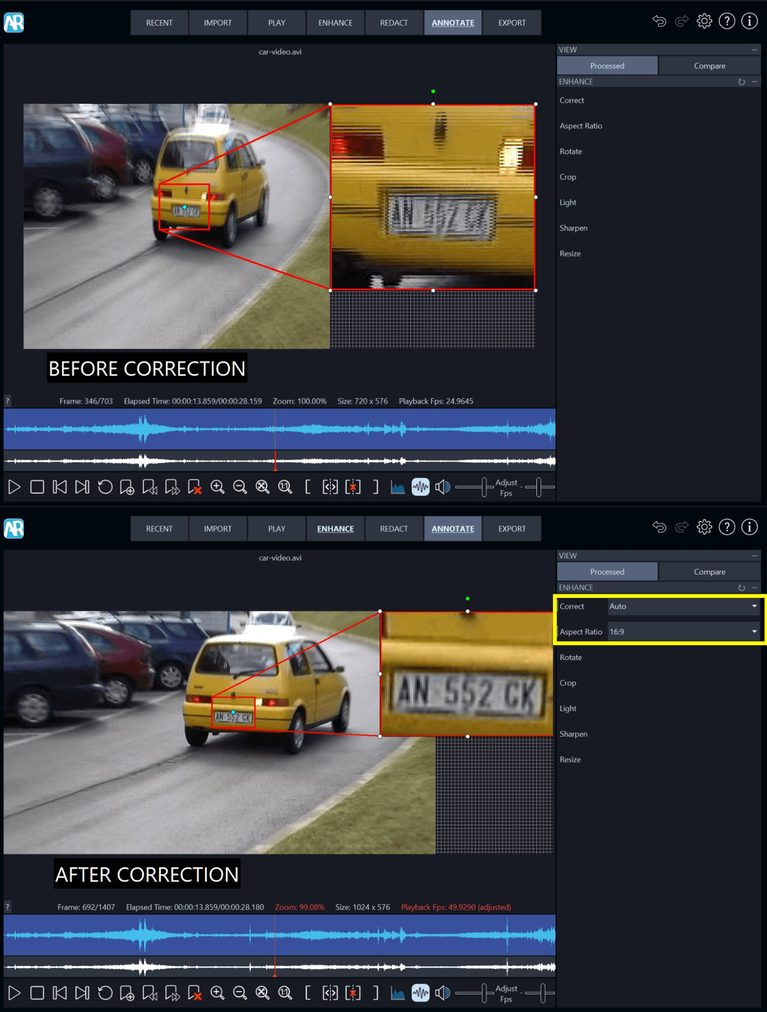
As discussed in the original Amped article, aspect ratio and interlacing are two issues that can sometimes go unnoticed, particularly when multimedia evidence is handled by someone without a specialist video expertise. However, both may have significant implications during court presentation.
Amped Replay can detect these issues in many cases and allows you to correct them before you export the evidence.
Enhancement and Clarification
Once you have addressed the technical issues, you can also look at whether the evidence needs some basic clarification.
This may include adjusting brightness or contrast, resizing, cropping or applying other simple enhancements to help make the relevant information easier to see.
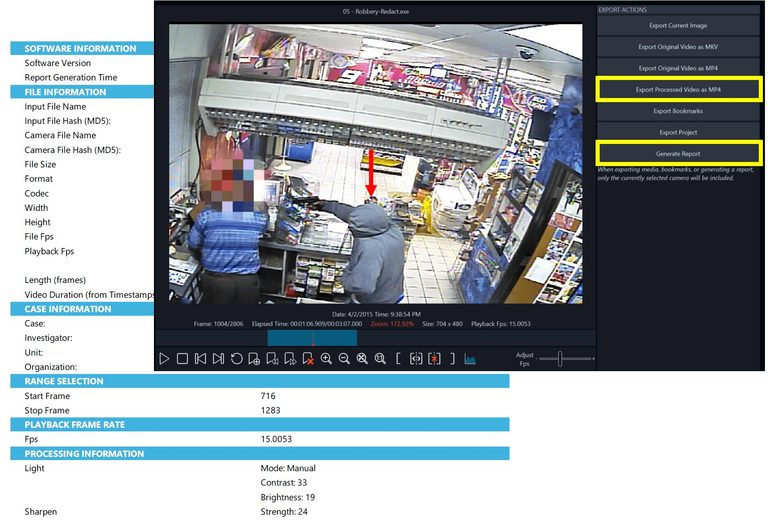
Whatever processing is applied, it is important to keep a record of it. In Amped Replay, all the processes applied to the evidence are automatically audited and can be included in the technical report generated during export.
That way, if you are asked later what was done to the material, you have a clear record of the steps that were applied.
Annotations
Annotations can be very useful when you need to draw attention to a specific area of interest. Arrows, text, shapes or magnification can help highlight the relevant details and make them easier to refer to during the presentation.
Adding information such as the filename and frame number can also be extremely useful in court, as everyone can refer to the same file and the same frame.
Of course, annotations and magnification may not always be appropriate. If the purpose is to assess the overall quality of the video, for example, it may be better to look at the complete image without additional elements.
So, think about what you are trying to show and use annotations where they can genuinely help with the presentation.
Redaction
Video or audio redaction may also be required when sensitive information should not be included in the material being presented.
This can involve hiding selected visual areas or removing sections of audio.
In Amped Replay, every redaction step is documented and recorded in the technical report.
Viewing Logs and Image Sequences
Playing video in court may not always be the best option.
The event may be too long, relevant activity may be spread across different sections of the footage, or playback equipment may not be available.
In these cases, it can be more effective to prepare a viewing log or a chronological sequence of selected still images. You can extract relevant frames from the original video and accompany them with descriptions to help explain the sequence of events.
Adding references such as the filename and frame number can also be very useful, as everyone can refer to the same source material and the same point in the footage.
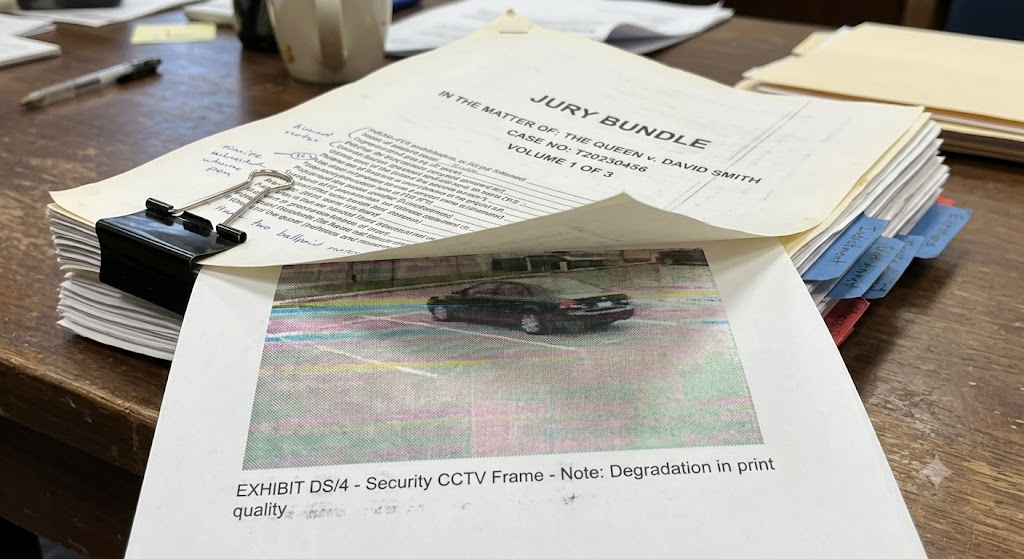
If the images are going to be included in a jury bundle, remember that printed versions may be of lower quality than the original digital images.
In accredited laboratory environments, documents may also need to include document and revision numbers.
Comparative Illustrations
Another presentation method discussed in the original Amped article is the use of comparative illustrations.
These can show a questioned subject or object alongside a known counterpart so that you can assess differences and similarities. The comparison may be more effective where the images show the persons or objects under similar angles and lighting conditions.
The selected images can also include labels, arrows or other annotations to identify the areas being compared.
You can use Amped Replay to create these types of comparative illustrations and export them together with the technical report.
Preparing the Evidence
There is no single presentation format that will work for every case.
Depending on the footage and the question being asked, the most appropriate option may be a video clip, a sequence of still images, a viewing log or a comparative illustration.
The choice should take into account:
- the type of evidence being presented;
- the information that needs to be shown;
- the relevant context;
- the technology available in the courtroom;
- playback compatibility;
- any technical issues affecting the footage;
- whether enhancement, annotation or redaction is required;
- and how the processing is documented.
Amped Replay provides tools for carrying out many of these tasks, and the first article in Amped Software’s new series on courtroom presentation looks at the complete Replay workflow in more detail.
Regardless of the software you use, carefully preparing the evidence and choosing the most appropriate presentation format in advance can help ensure that the material is presented as clearly and effectively as possible in court.