Working with evidence that contains multiple languages is about to become much easier in Belkasoft X.
In the upcoming 2.12 release, BelkaGPT will bring offline translation into the investigative workflow. Investigators can translate entire chats and SMS conversations in bulk, translate individual messages or text from other artifacts on demand, and work with more than 100 languages—all without sending case data to an external service.
Translations will become part of the case itself: available alongside the original text, searchable, filterable, and ready for reporting.
Here is a first look at how offline translation will work in Belkasoft X 2.12.
Bulk Translation for Chats and SMS
Multilingual cases usually mean thousands of messages at once. Now you will be able to translate them in a single operation.
In the Artifacts window, check what you need, right-click, and select Translate checked profiles with BelkaGPT. Bulk translation can run on any level: a single conversation, an application profile such as WhatsApp or Telegram, chats inside a profile, or an entire category.
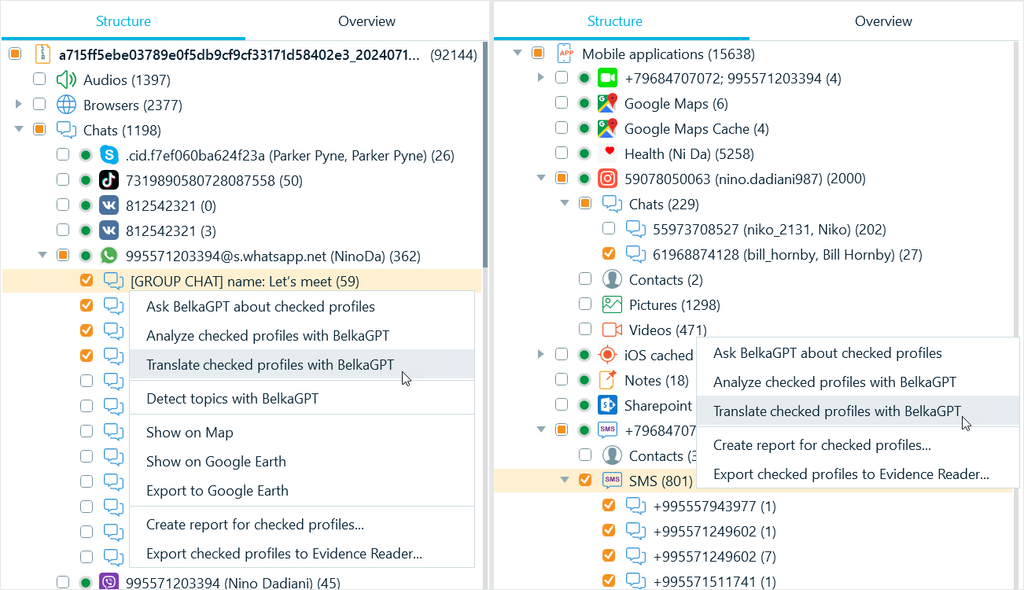
Then you select the translation language and start the task. When the job finishes, translations appear next to the original text in the bubble chat view, and in the Translated message column in the list view.
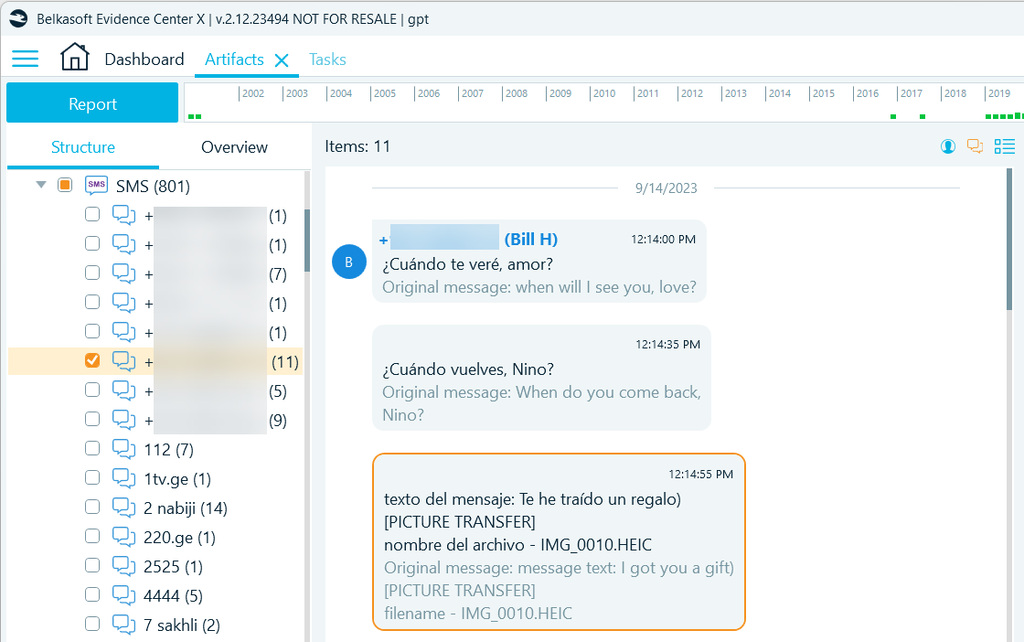
As with all other artifacts, translated texts are indexed. You can run keyword searches and filters against them, and they go into reports automatically.
Instant Translation Across the Case
Chats are not the only place a language barrier shows up. Documents, notes, emails, and system artifacts carry the same problem.
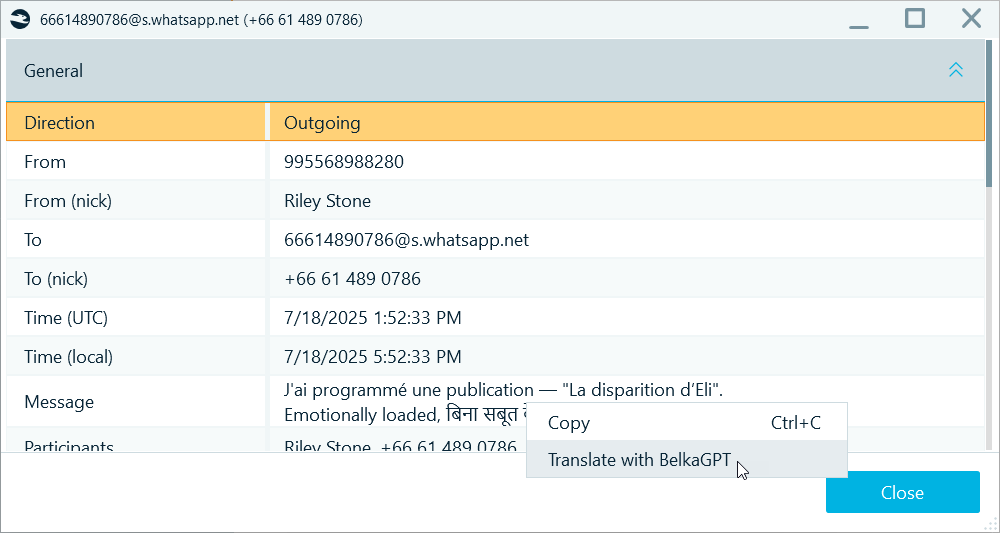
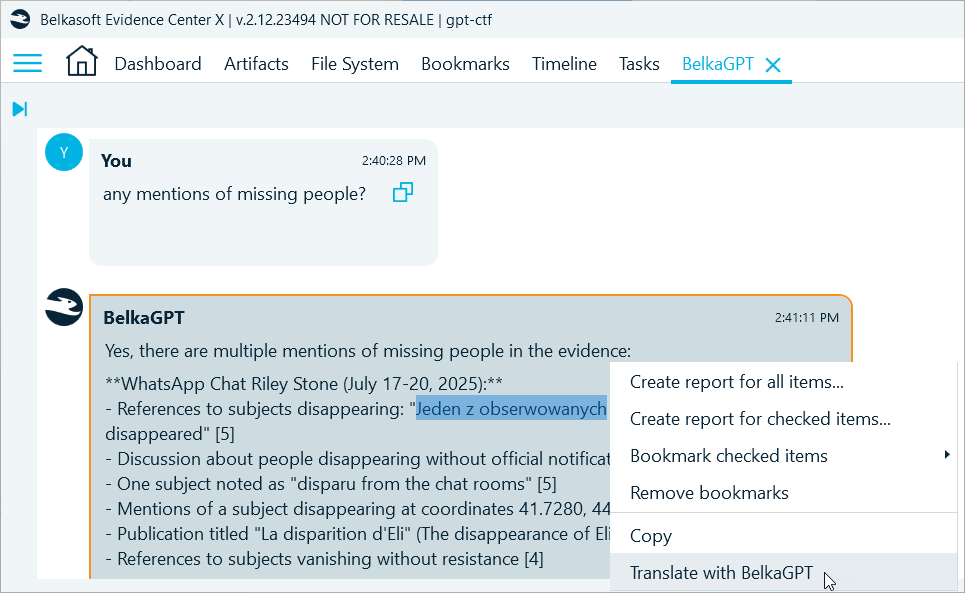
Instant translation covers text in any artifact. Select a snippet or right-click inside a text box, then choose Translate with BelkaGPT. It works from different areas in the Artifacts window:
- The Item text tab in the Tools pane:
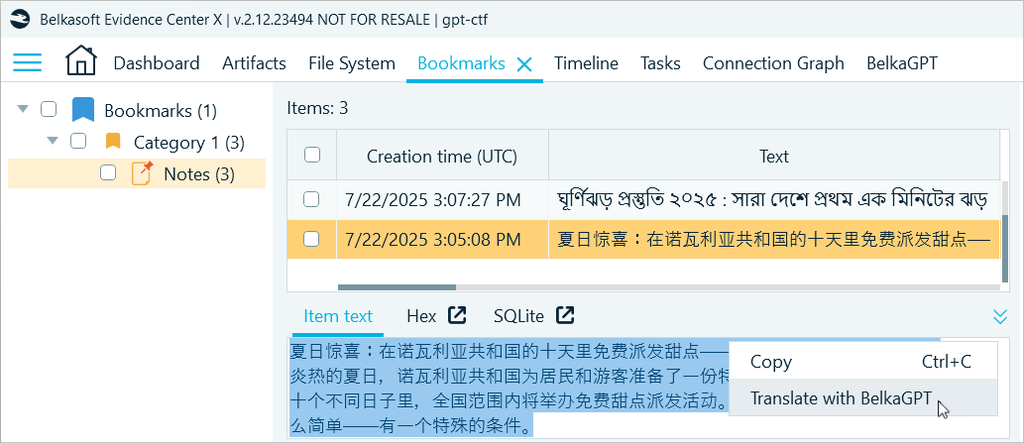
- The Properties pane:
- The BelkaGPT window, in questions, answers, and referenced artifact previews.
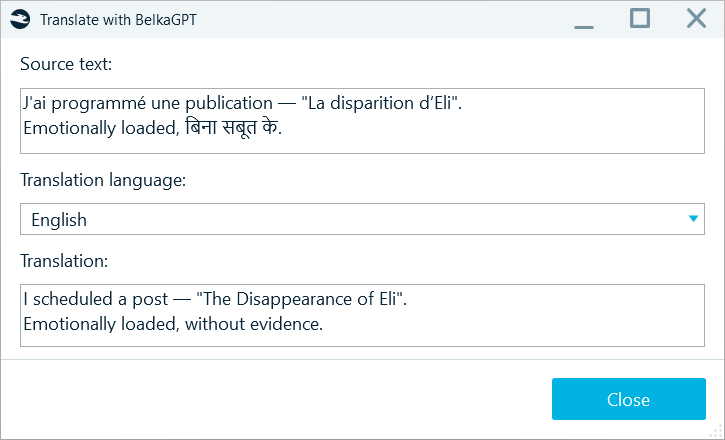
After you select Translate with BelkaGPT, the translation dialog appears, where you can select another translation language and preview the translation:
More than 100 Languages
Translation works from and to over 100 languages. The full list is published on the BelkaGPT page.
You set the default target language once. Open Settings from the Home window, go to the BelkaGPT tab, and pick a language from the Translation language drop-down.
Translation That Never Leaves Your Environment
BelkaGPT runs locally: directly on the examiner machine, or within your local network. Case data stays inside the lab, while you have a translator even when the workstation has no internet connection at all. Air-gapped environments and strict data handling policies stop being a reason to delay investigations or to move evidence into an external tool.
Coming in Belkasoft X 2.12
Bulk translation for chats and SMS, instant translation across other text artifacts, support for more than 100 languages—and it all stays within your environment. Offline translation is coming with the next release of Belkasoft X.
And that is only one of the additions on the way. Explore what else is coming in Belkasoft’s Release Preview.
About Belkasoft

Belkasoft is a global provider of digital forensics and incident response solutions trusted by law enforcement agencies, government bodies, and corporate security teams worldwide. Through ongoing investment in AI-powered capabilities, Belkasoft is committed to equipping the DFIR community with tools that match the pace and complexity of modern investigations.