Amped Software just introduced a workflow-focused set of improvements to Amped Replay that help you perform redactions, detect motion, and add annotations with greater control and traceability throughout the case lifecycle.
This release delivers:
- A new dedicated Redact tab
- Multiple Regions of Interest (ROIs) for Motion Detection
- Copy/paste of annotation keyframes
Redact Tab – Video and Audio Redaction Under the Same Roof
You can now perform visual and audio redactions in a separate Redact tab, distinct from annotation tasks. This separation aligns with common forensic procedures and reduces the chance of unintentionally exposing previously redacted subjects or objects when adding annotations later.
The tab includes:
- Hide tool for video redaction
- Text tool to annotate redactions
- Audio Redaction panel
- A Redact text box in the Bookmarks panel for accurate report entries
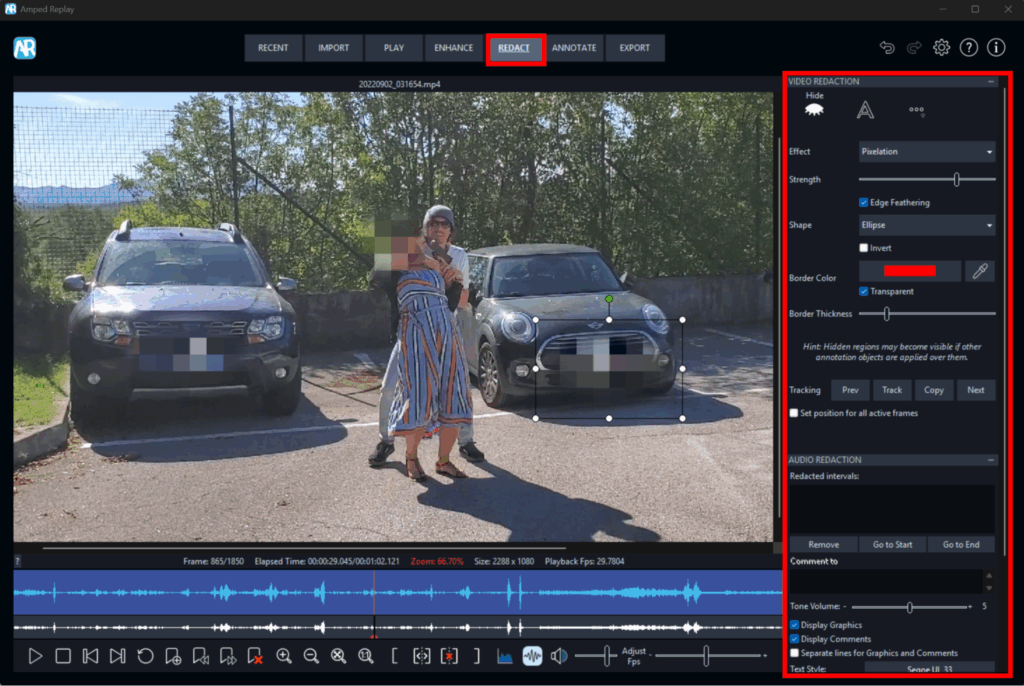
These items centralize redaction steps and mirror them in the generated report for clearer documentation.
Note to Amped FIVE users: due to the new tab, imported Replay projects may temporarily ignore existing image/video/audio redactions until a future FIVE update. Amped Software advises contacting support for more info.
Motion Detection: Select and Report Multiple Regions of Interest (ROIs)
You can now define multiple ROIs in a single video and generate motion-event bookmarks for each region. This allows you to view several hotspots simultaneously, without the need to rerun scans. When you generate a report, Replay lists each ROI with its coordinates, size, and corresponding bookmarks.
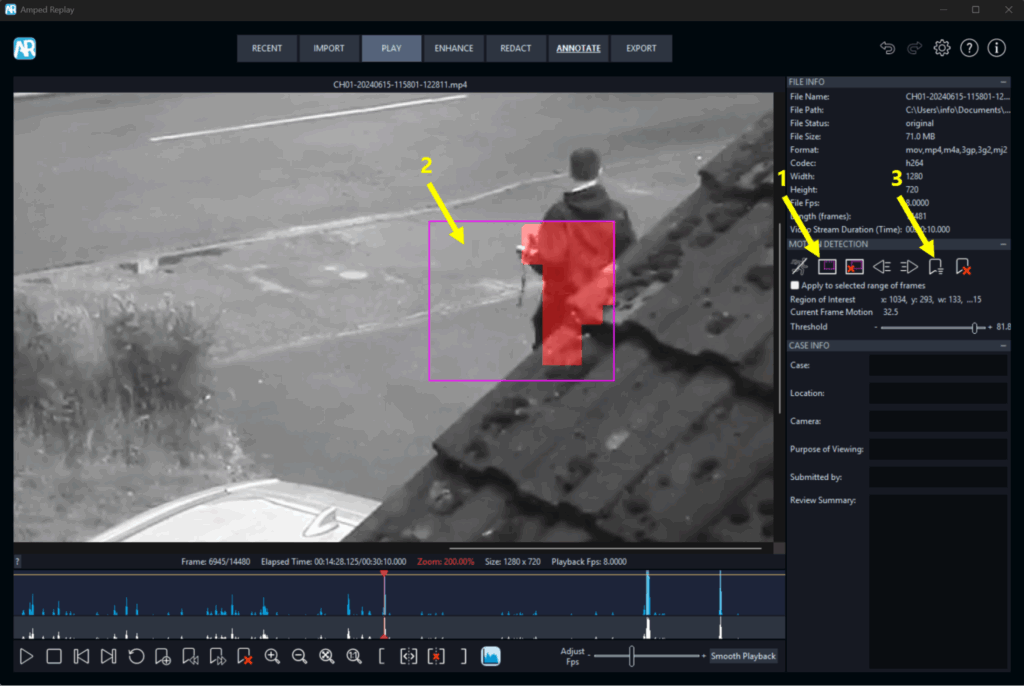
Here’s an example of the simple steps:
- Click on the “Set Region of Interest (ROI)” button
- Draw the ROI on the viewer and set the threshold
- Click on the “Add Motion Events Bookmarks” button and repeat for additional ROIs; export bookmarks as required
Annotate – Copy/Paste Keyframes for Consistent Call-outs Across Time
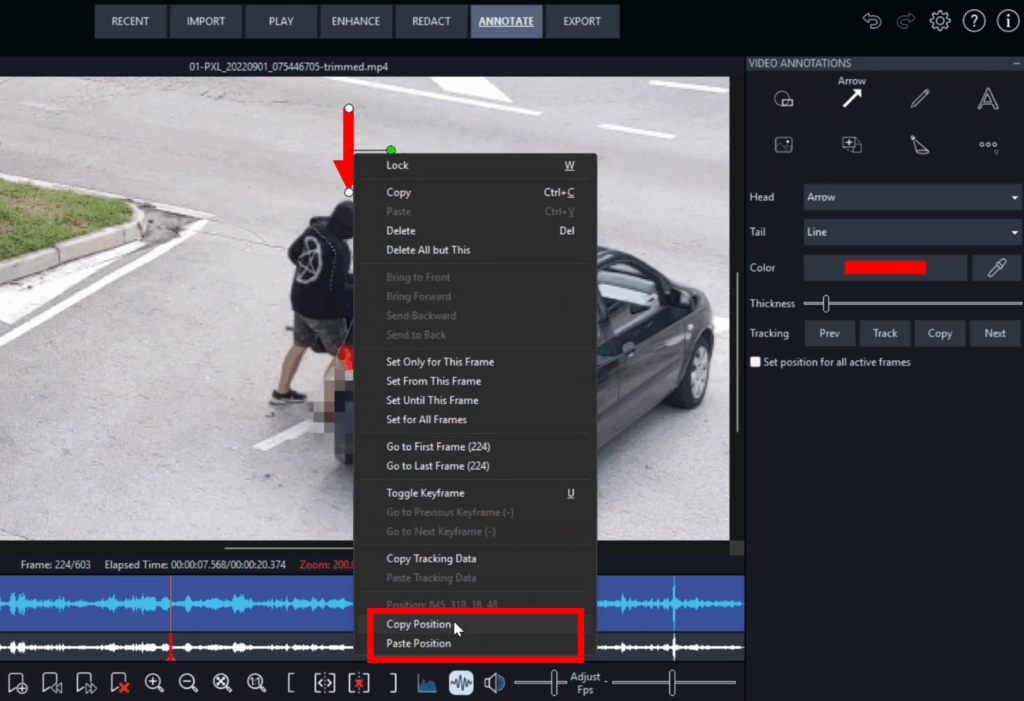
If a subject’s movement is interrupted, you can reuse precise positions by copying and pasting annotation keyframes (including coordinates) directly from the object’s context menu. This maintains consistent placement across time without incremental manual adjustments.
Conclusion
Users with an active support plan can update Amped Replay directly within the software.
Are you evaluating a forensic video player for quick conversion, processing, and redaction?
Amped Replay fits your workflow. Contact Amped Software for technical information and deployment options.
Read the full blog post to discover all the improvements included in the latest release of Replay.