The following transcript was generated by AI and may contain inaccuracies.
Jason: Hey, everyone, and welcome to another Magnet Forensics webinar. Today we’re excited to talk to you about one of our newest products, which we released back in April: Magnet Autokey. I’m happy to be here with you today, and we have a special guest with us, so we’ll hop right into it.
If you haven’t met me before, or seen me out on the road at conferences, I’m Jason Miranda, one of the solutions consultants here at Magnet Forensics. I’ve been here since 2022. Previously I was in law enforcement in North Carolina, where I worked for the State Bureau of Investigation and a local sheriff’s office, mostly investigating internet crimes against children and child sexual abuse cases.
I left full-time law enforcement in 2022 and was hired by Grayshift, which then merged with Magnet Forensics. My role as a solutions consultant is really doing what I did when I was still in law enforcement: a lot of testing and validation of the products, making sure that everything we’re providing to you as customers is working as intended.
I’m always happy to help, so if you have any questions or issues, don’t hesitate to reach out. You can message me on LinkedIn or shoot me an email, and I’ll be more than happy to help you out with anything you’re encountering.
Also with us today is Evan Walker. I’ll let him introduce himself, but he’s our product manager for Autokey. I’m happy to be presenting with him today; he brings a lot of knowledge about this product and has done very well with it. Evan, do you want to introduce yourself?
Evan: Yeah, sure, and thanks, Jason. It’s been a really great partnership working with you on this project. As Jason mentioned, I’m a product manager, based out of Pittsburgh, Pennsylvania. I cover Autokey and also GrayKey FastTrack. I joined Magnet in December 2024, which was the early stages of the Autokey product launch, so I was a founding member of that team.
As a product manager, I really enjoy getting customer feedback and insights that help us improve our products and deliver better tools so that you can do your jobs.
Jason: Awesome. Happy to have you here to talk about Autokey, so let’s jump right into it.
Evan: Sure. Just like phones, cars are an integral part of our day-to-day lives. Pretty much everyone drives a car almost every day, or maybe rides in an Uber. There are cars everywhere, so they’re a very commonly used evidence source, and one that can make a material impact on an investigation.
In the US alone, there are almost 300 million registered vehicles. That’s a lot of evidence sitting out there to be used. Nine in every 10 households have at least one vehicle, and a fun fact is that we drive a lot in the US: Americans drive over 3 trillion miles annually.
So we’re on the road a lot, and while we’re on the road, we’re creating a lot of evidence. These vehicles create a digital footprint, and there’s almost always a vehicle involved, whether a suspect was driving one, a victim was in one, or a witness saw one. That vehicle is no longer just a vehicle; it’s a rolling data source, which makes it very valuable to investigations.
Jason: I think it’s interesting, going back to that previous slide about how many registered vehicles there are in the US. Putting on my law enforcement hat for a second, that’s a lot of vehicles, and we’re not even counting the ones that aren’t registered.
What law enforcement often encounters, especially in criminal investigations, are vehicles that aren’t necessarily registered. So it’s not always easy to just take a VIN or a license plate and run it through a system to find a registered owner. That’s an important takeaway.
As you mentioned, it’s also important to note how much data really exists inside a vehicle. Too often we’re trained or conditioned throughout an investigation to grab a computer or, most notably, a cell phone. Those are our go-to digital devices as investigators, and far too often investigators forget about vehicles.
A vehicle just isn’t a traditional piece of evidence that investigators are used to; everybody’s conditioned to grab the cell phone. But to your point, it’s essentially a rolling data source. You’re getting locations and all kinds of artifacts within that vehicle that can definitely help an investigation.
Vehicles are a goldmine of data nowadays, especially smart cars. We have Apple CarPlay, Android Auto and OnStar solutions. There’s a lot built into these vehicles that lets us connect and communicate with them through our mobile devices, whether through Apple CarPlay or just a USB connection. Then there’s also what resides on the infotainment system itself.
When it comes to the most popular artifacts investigators use when they’re looking at vehicles, what’s the number one thing? Locations. That’s key. With cell phones, there are a lot of high-level artifacts investigators are interested in: who is that individual talking to, who are they messaging, who are they calling? But one of the most popular artifacts from a cell phone is location.
What we’ll talk about today as we get into the product is how valuable that geolocation is and how it can help with your investigations.
So what are we talking about with location data? We’re talking about the GPS inside the car. A lot of these infotainment systems have GPS available through navigation, which allows you to essentially track the movements or location of that vehicle from the infotainment system itself.
And that’s before we even consider cars connected to our cell phones, whether through Apple CarPlay or Android Auto, wired or wireless, and the locations from the phone being pulled into the vehicle through those connections. So there’s a lot of data to consider when we talk about the artifacts available from these infotainment systems.
What else? Vehicle events. These can be very critical in investigations. I’ve talked to a lot of examiners and investigators who have been doing vehicle forensics for several years, and some of the less commonly considered artifacts in an investigation are vehicle events, specifically door events.
What can door events do? Think about an individual who’s involved in a crime and says, “I didn’t know this was going to happen. I never got out of the car. I was just the passenger. I never left the vehicle.”
We now have the ability to pull this data off these infotainment systems and analyse it to determine whether that passenger door actually opened. Can we corroborate what that individual said happened during the incident?
Then there are shifting events, seat events and so on, a lot of things folks don’t think about. As investigators, we may not have really considered what these infotainment systems can hold from an artifact perspective.
And then, of course, there are connected devices. Evan, let’s put on our truth caps here. How often do you connect your cell phone to a rental car, or any other car you get into?
Evan: All the time. It’s second nature at this point. I take a cord with me everywhere I go.
Jason: Exactly. It could just be to charge the phone, and then you hit next, next, next and allow the vehicle access. When people get into rentals, their personal cars, or a family member’s or friend’s car, it’s almost automatic.
The first thing you do is either plug into the infotainment system or connect wirelessly through Android Auto or Apple CarPlay. It’s convenience. It lets you use the maps on your phone, sync your contacts and make quick calls, so you’re not holding the handset while you’re driving.
But from an investigative standpoint, this is a goldmine. As soon as you make that handshake between your cell phone and the vehicle, you’re establishing a good amount of data that we as investigators can extract from the infotainment system and use to start putting the pieces of the puzzle together.
Evan: And if someone steals a car, they’re going to connect their phone immediately. It’s second nature. So they might say, “I was never in that car.” Well, your phone was.
Jason: 100%. During my time doing full-time investigations, you’re exactly right: we very rarely came across a vehicle where an individual suspected of a crime had not connected to it. Again, it’s second nature. As soon as we get in, we’re conditioned to plug in or connect over Bluetooth.
That’s a great transition, because we had a use case where exactly that happened. It was a homicide case where an individual was shot and killed as he was walking to his vehicle, and it was robbery-related. When the vehicle used in that case was recovered, the data was extracted from its infotainment system.
One of the key artifacts noted in that investigation was connected devices, or Bluetooth connections. This allowed the investigators to look at that data, narrow it down and start putting the puzzle pieces together to identify a connection between the individual involved in the crime and that vehicle.
Ultimately, that led to a first-degree murder indictment. So it’s very important to think outside the box about what kind of data you can find within these vehicles.
Another case was similar in terms of connected devices, but involved a string of robberies and carjackings in a very large metropolitan city. The first vehicle that was stolen and used in these robberies was eventually ditched and recovered by law enforcement.
Law enforcement performed an extraction on the infotainment system, and the first artifact they really looked at was locations. They were able to start painting a picture of where that vehicle had been over time, corroborate other robberies that happened during that timeframe, and link the vehicle to them.
Talking with that investigator, one part that really impressed me was that there was a lot of activity in parking lots: just circling parking lots and circling businesses. Essentially, they were casing the area, looking for and identifying a victim for a robbery and carjacking. That really opened up the case and painted a picture of additional victims and additional crimes involving that vehicle.
Then we dug in a little more and saw connected devices. Just like you said, Evan, what’s crazy is that the individuals using that vehicle were automatically connecting their cell phones. That added more pieces to the puzzle, and law enforcement was able to start connecting the dots and identifying the individuals involved simply based on their device connections to that vehicle.
So it’s great to be able to get this data off vehicles when it’s available. But speaking with customers, Evan, what are we dealing with right now? What’s the main issue law enforcement is facing with newer model vehicles from an extraction standpoint?
Evan: Newer model vehicles are using encrypted chips, straight out of the box. So the data isn’t accessible even if you do a chip-off. The car has to be turned on, because the data is encrypted at rest. That’s the biggest thing on the minds of our examiners when we surveyed them. Encryption is a concern because they know it’s coming for vehicles.
Newer Fords, newer Chevys and newer BMWs are using encrypted data. That’s on top of the fact that legacy methods for extracting this data, even when it isn’t encrypted, can take a lot of time. You have to go out to the site and remove all these pieces from the car, and hopefully you can put it back together.
Hopefully the consent is there, and you don’t have to worry about liability. So we’ve heard a lot about liability, the time it takes to extract the data, and the potential for encrypted chips, which will block legacy methods altogether.
Jason: That’s important, because that’s where law enforcement is with vehicle extractions right now. That’s our go-to. We may get lucky here and there and be able to extract straight through the infotainment system, but talking with investigators and examiners, more often than not they’re having to perform a chip-off.
I remember many years ago when we were doing chip-offs on cell phones, and then that went obsolete once those chips moved to encryption and file-based encryption. That killed the chip-off trend for a while, and then we got back into it with vehicles, because those chips weren’t encrypted.
I don’t want to say it was easy, but it was a way to get access. Now it seems manufacturers are starting to realise that cell phone companies have transitioned to encryption, and that maybe they should too. That has definitely created a roadblock.
I think that’s where we decided, maybe a year and a half or two years ago, to try to fill the void law enforcement was encountering with these newer models and encrypted vehicles.
Evan: When I first joined the team, I was told our goal was to release something that pretty much anybody could use. Anybody could go up to a car, plug in and extract. That was the goal from the very beginning, and with Autokey we achieve all of that.
First, there are the encrypted chips we mentioned. Autokey allows you to unlock critical evidence hidden inside modern vehicles. You’ll keep hearing “modern vehicles”, because that’s what we’re going after: the newer chips that contain a lot of data.
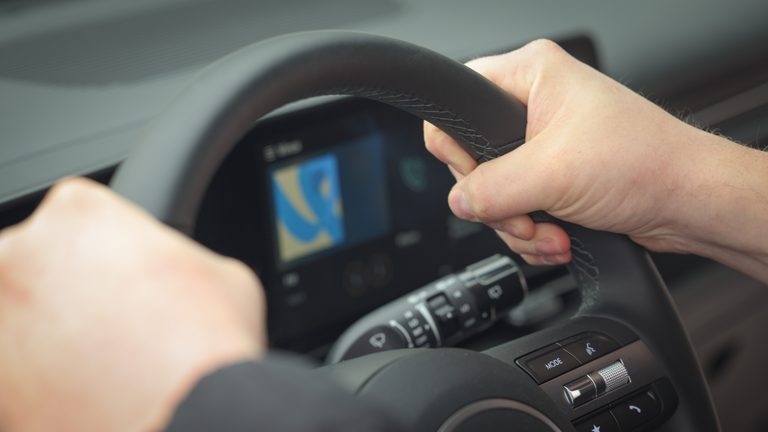
We also want to offer fast, non-intrusive data extraction. That’s the plug-and-play part. You’re literally going out to a car, plugging into the USB ports on the infotainment system and extracting the data. In my testing with some Fords and Chevys, when we say fast, we’re talking 20 or 30 minutes, and we’ll show later how the data is uploaded immediately to the cloud and available to you in Review.
There are no extra steps; it’s there out of the box. That ties into the last point, an end-to-end vehicle forensics solution. We wanted to offer something that exists within the rest of the Magnet toolkit, so you’re not trying to pull together a bunch of different tools.
It ties directly into Review, and also into Magnet AXIOM if you wish to take your data there. So out of the box, Autokey is tied into everything, it’s fast, and it’s focused on modern vehicles.
Jason: Great point. The keywords are extracting encrypted evidence and modern vehicles, as you mentioned.
To go back in time a little, in the Grayshift days, when we started adding support for Android devices back in 2021, we focused on the modern devices out at that time. We didn’t go back and start supporting older models. We focused on what was out in that 2020–2021 range and moved forward from there.
I think that’s a good way to describe how we’re doing something similar with Autokey, focusing on modern vehicles, especially those coming with encrypted chips. So what are we looking at from a support perspective right now?
Evan: We’re focusing mainly on some of the biggest vehicle brands in the world. At launch, Autokey can acquire evidence from various infotainment systems used by the Ford-Lincoln group, the Kia-Hyundai group and the General Motors group, which includes Chevrolet, Buick, Cadillac and GMC.
The General Motors group uses encrypted chips, so if you did a chip-off or took the unit out of the vehicle, you wouldn’t get any data from it. We’re the only solution on the market right now that can get the data out of a modern Chevrolet.
Coming soon, we’re focusing on the Stellantis group, which people might know as Jeep, Chrysler and Dodge. So those Dodge Challengers and Chargers out there are the ones we’ll be covering later this year.
We also plan to support some infotainment systems from Toyota later this year. So again: modern vehicles, encrypted vehicles and the biggest brands in the world are what we’re focusing on.
Jason: I think you’re going to see a lot of excited customers, especially with that Dodge group. I’ve been hearing a lot of feedback about the need for Challengers in particular, so I’m definitely excited about that.
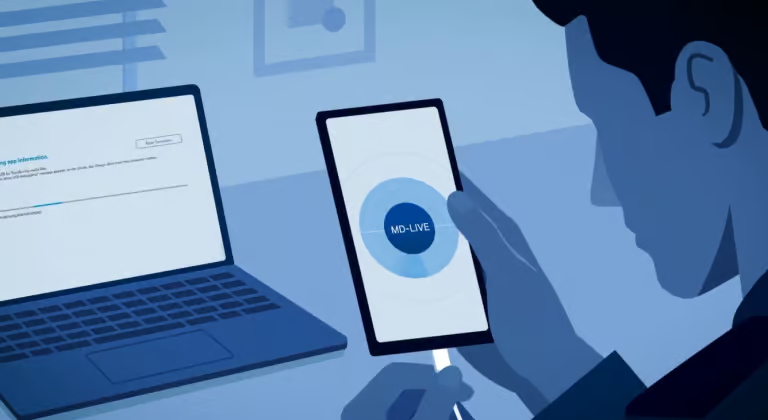
You talked about the end-to-end solution: plug and play, processing the data, then pushing it out for analysis in our Review platform. What we’re using to do that is Magnet One CaseStream. A lot of folks may already be familiar with it. It’s a streamlined acquisition and processing flow that allows you to acquire, process and share data in one process, with no manual examiner touch points involved. It’s plug and play, and you let it run its course.
A lot of customers and users are already familiar with Magnet One CaseStream through our GrayKey solution, and this works very similarly to what you’re experiencing with that now.
If you’re not familiar with Magnet One CaseStream, or you haven’t used it yet with GrayKey, it’s essentially a fast and easy way to acquire data from a device, process it and then share it with end users or stakeholders.
It’s a single workflow experience. We take the data we’re extracting from cell phones, or now from vehicles with Autokey, and process it through our Magnet One platform. Think cloud processing to really accelerate the processing of that data, which then allows the examiner or investigator to share it out to our Review platform.
The key takeaway is that it’s fully automated from start to finish. There are no touch points involved. Once you’ve clicked go and started the extraction, it rolls right into processing. It’s a very seamless and easy flow.
I joke with a lot of folks I talk to at conferences and customer meetings that we try to make this stuff as cop-proof as possible. Tools for cops made by cops: that’s the running joke at Magnet Forensics. I think we do a good job of making this as seamless as possible for our customers to get access to that data quickly.
And we’ve talked about where it ends up: in Review. One of the acronyms we use very heavily is TTE, or time to evidence. It’s about getting data to our investigators and stakeholders as fast as possible, and that’s where Magnet One CaseStream really shines.
Those manual touch points of extracting, then processing, then copying to external media to provide to investigators are gone. With Magnet One CaseStream, we can push the data to our investigators in one click. Once it hits the Review platform, they can log in and see the data in real time as it’s processing and populating.
They can start connecting dots, developing leads, identifying witnesses, victims and maybe even suspects, and start their investigation right away. You also mentioned earlier that one thing to keep in mind is that the data is still stored locally on the tablet. Is that correct, Evan?
Evan: Yes. Every extraction you do is stored on the tablet and available to move into AXIOM.
Jason: Cool. So as data is extracted from the vehicle’s infotainment system, it stays local on the tablet, but it’s also sent up to Magnet One CaseStream for processing. If you still want to analyse the data the traditional way in AXIOM, you can absolutely do that by downloading it off the tablet and loading it into our AXIOM platform.
To wrap this up, we’ve talked about the end-to-end process from start to finish. I think this slide paints the picture well. Would you say it’s pretty seamless from start to finish?
Evan: Yes, it’s very straightforward. As Jason mentioned, it’s cop-proof. To tie this all up with a bow, we went through Magnet One CaseStream and Review.
Autokey is there to get access to and extract the data from the vehicle’s infotainment system. That data is then streamed up into Magnet One CaseStream, processed, and immediately available to you in Magnet Review. Again, it’s very fast: we’re talking 30 minutes or less on the vehicles we’ve been testing.
Zip files are also created throughout this process, and those can be taken into Magnet AXIOM if you wish, or stored locally as a backup for data preservation.
Jason: Awesome. Do you think we should do a little walkthrough of what the Autokey UI looks like, and maybe what some data looks like in our Review platform?
Evan: Sure. Sounds great.
Jason: All right, let’s take a look.
Evan: So now we’ve opened the tablet, and this is what customers are greeted with when they first open it up. Jason, you have one of these. Overall, was the flow pretty straightforward from here?
Jason: Pretty straightforward. As soon as I got the tablet and powered it on, the first thing it asked me to do was log in with my Magnet ID. There’s only one app on the tablet, so it’s very easy to locate. You log in with your Magnet ID to your Magnet Review tenant, and once you do that, you’re at this screen.
Evan: Perfect. On this screen, we’re trying to identify which vehicle you’re connected to. First, you plug the OBD-II cable into the car. You can also type in the VIN if you can’t access the OBD-II port, or if you want to check something and get set up before you go out to the vehicle.
At this stage, we’re not looking for any other information from the telematics. We’re just trying to understand what the car is and which profiles we’re likely working with. So we click Identify.
The suspect vehicle we’re working with here is a Ford Mustang, and Autokey has identified it as running Ford SYNC 3. So we now know how to get access to the vehicle and how to proceed.
Next, you choose which extraction options you want. Maybe your warrant limits you, or you’re only looking for contacts, calls, connected devices and so on. Of course, most of you are going to say, “Just give us everything and we’ll figure it out later.” That’s the default option: grab all the artifacts and all the raw files as well. So let’s proceed with grabbing everything.
Jason: I think it’s important to mention here that, to your point, the common theme I heard was that investigators wanted everything. But you mentioned the speed. We’re talking 20 to 30 minutes, which in reality is a short amount of time from start to finish.
But if you have a situation where you already know the owner of the vehicle, or you know they’ve been in it, and your main goal is to identify where that vehicle has been, this gives you the option to say, “All I need right now is where the vehicle has been over the last 24 hours,” and target just that artifact category.
Evan: Perfect. Next, you decide where the data is going to go, and this is where Magnet Review and the Magnet One platform come in. You can create a new case, or if a case has already been created while you’re out at the vehicle, you can put it straight into Jason’s vehicle theft case, or whatever it may be. In this case, we’re creating a brand-new case to put the evidence into.
So you’ve done all the setup. We know the vehicle type, we know where to put the evidence once it’s extracted, and you’re ready to go.
Sometimes during the process, it will ask you to restart the vehicle. Think of this as giving you a clean chalkboard to work from; it sets you up for the best chance of success with the initial access. This only happens sometimes, and it’s really easy. As we can show here, the tool tells you exactly what to do and when to do it, so you’re never left wondering what to do next. So we restart the car.
Jason: I think that’s important, too. In my testing on some vehicles, including my personal one, I had to restart a couple of times. But I was prompted to do that; I wasn’t left wondering whether it was working.
The UI is still working in the background, and it tells you, “Action required: please restart the vehicle.” Then it knows when to kick back in. That clean chalkboard, or clean slate, is a good analogy. For investigators, just follow the prompts. It walks you through step by step, so don’t think it isn’t working if it tells you to restart the vehicle once or twice. That’s common.
Evan: Awesome. So we’ve completed the extraction, and from this screen I can go directly into Magnet Review from the tablet itself.
This is the Mustang example. We were able to grab 110,000 artifacts in total, including a ton of location and travel artifacts and a lot of communications, which are typically call logs and contacts. There have been 136 devices connected to this car.
So there’s a lot of rich evidence to get started with, and you could send it to the investigator straight from the car and say, “I’ve just done this extraction. Can you look through the connected devices and see whether any suspects’ phones, or anyone else’s, stand out?”
Here we’re looking at the vehicle’s Bluetooth-paired devices. Maybe Bill’s iPhone is the one we’re looking for. We now know its Bluetooth address, the manufacturer and even the model of the phone, so we know what to look for if we need to write a warrant for it.
Jason: This is important. A lot of the time, the standard device name will be the name of the person’s phone, like “Jason’s iPhone” or “Evan’s iPhone”. So hopping in here really helps paint a picture of the devices that have been connected. Then there’s the phone number, which is a key factor in identifying the device and tying it back to an individual.
Evan: Now we’ve gone to locations. These boards are constantly recording the data, I think every second or so, and you can really look through and see where the vehicle has gone. This is a world map, and all of these points are loaded onto it right away. You can see where the suspect or the car went from point A to point B, the route they took, and times they may have stopped at houses, and so on.
Jason: Again, thinking outside the box, this is Magnet One CaseStream with Autokey streaming that data directly to Review. Even after it’s processed and your investigator has it, if you later seize or come across a device that was connected to this vehicle or is part of the investigation, you can add that in, process it and send it to Review as well.
It would be really useful to see both evidence sources overlapping in this view from a location perspective, corroborating that the phone was where the vehicle was. That could be very helpful or very detrimental in your investigation.
Now, Evan, this is the one I really wanted to talk about. I think it’s pretty sweet, and it’s going to be really helpful to our investigators and end users. This is from a recent extraction you did on a GMC, I think a 2023 or 2024 model.
Evan: Yes. I rented a 2023 GMC Acadia and did an extraction on it. The Infotainment 3 systems on General Motors vehicles store text messages, where users have opted in to send their text messages to the infotainment system.
It was really cool to see. We did the extraction, and there were 1,000 text messages stored, going back months; I think some of the data was from as early as last year. There was a lot of political spam, but also a lot of genuinely rich information, like “Let’s meet up for the game” or “Let’s do this thing.”
In an investigation, that could really help you piece together how things unfolded and who might have been working with whom.
Jason: Absolutely. And to bring it back, this is from a GMC vehicle that has an encrypted chip, so investigators wouldn’t have the ability to perform a chip-off to get that data.
But let’s take it a little further. Maybe we don’t have the phone yet, or the phone is in a state where we can’t get an extraction off it right now, so we can’t get those text messages from the device. We don’t want to stop there. We can’t forget about alternative data sources, and most notably that now includes vehicles.
We’re able to show that these vehicles are holding this data. As we’ve been discussing, it’s almost second nature to hop in a car, connect your phone and hit next, next, next or allow, allow, allow. The amount of data and artifacts we can get from these infotainment systems now is very important and could really blow the doors off an investigation.
Evan: As we mentioned before, you can also go through AXIOM. When you’re selecting your evidence source, you select Vehicle, and then Autokey as the source. That’s the extraction you created on the Autokey tablet and moved over to your workstation, and you ingest it there.
The artifacts built in Review should be the same as the ones in AXIOM; there should be parity. As we launch new vehicle artifacts in Review, they’ll also be added to Magnet AXIOM.
Jason: Great points. We’ve been talking about Magnet One CaseStream throughout this and getting data to our investigators in a seamless manner. But we’re still going to have some old-school examiners, as well as situations where there’s a main piece of evidence: the AXIOM case you’ll maintain for court purposes two or three years down the road, however long it takes before the case is dispositioned or goes to trial.
So we can use Magnet One CaseStream and Review for analysis and review by our investigators. They can bookmark, tag and do all the heavy lifting in the Review platform. If examiners still want a standard AXIOM case to maintain locally for court purposes, it’s pretty seamless, as you mentioned, Evan.
You just get the data off the tablet, open up the case, and AXIOM processes those artifacts just as they appear in Review. What’s also pretty neat is that all the work and intelligence investigators have added in Review, from bookmarks to evidence tags, can be brought over and merged into that AXIOM case.
That way, you have one piece of evidence being maintained for court purposes. So we give customers a couple of options: using the Review platform, and also loading the data locally into our AXIOM product.
I think that wraps it up for today, Evan. We had a good discussion and a lot to talk about with Magnet Autokey. I think it’s safe to say we’re adding another tool to examiners’ and investigators’ toolboxes to help with their investigations from a vehicle standpoint.
That includes processing newer model vehicles with traditional chipsets as well as the encrypted chips coming in these newer cars, and getting that data quickly to end users with Magnet One CaseStream. It’s a very seamless end-to-end process that improves time to evidence, delivering data in 20 to 30 minutes, which investigators haven’t had the capability to do until now.
If you’re still with us today and interested in learning more about Autokey, feel free to scan the QR code on the screen. It will take you to our Autokey website, where you can learn more. Please also reach out to your sales representative for more information, including how to acquire it, get it into your lab and start getting access to these vehicles.
Evan, I appreciate you joining us today and spending some time with us. It was nice to have one of the brains behind what’s going on in the background with this product. We’re really excited about it, we’ve had some really good feedback from customers, and we’re happy to keep pushing this out so they can take advantage of these capabilities. Thank you for joining us. Anything else you’d like to mention?
Evan: No, thanks for having me. I’m really excited for the future of Autokey and for being able to grow the vehicle forensics space for examiners.
Jason: Awesome. Thanks, everyone, and we’ll see you next time. If it’s before then, I’ll probably see you out on the road at a conference, or feel free to reach out via email or LinkedIn if you have any questions or need help with anything. Other than that, take care, and we’ll see you soon.