Amped Software delivers the new Amped Authenticate update to help you spot deepfakes faster, triage at scale, and produce clearer, defensible reports with fewer clicks.
You get simplified Diffusion Model Deepfake results plus batch processing, the option to run Face GAN and Diffusion Model checks inside Smart Report. Additionally, the update introduces a smoother GUI with dockable panels, smarter file loading, and direct frame seeking in Video Mode.
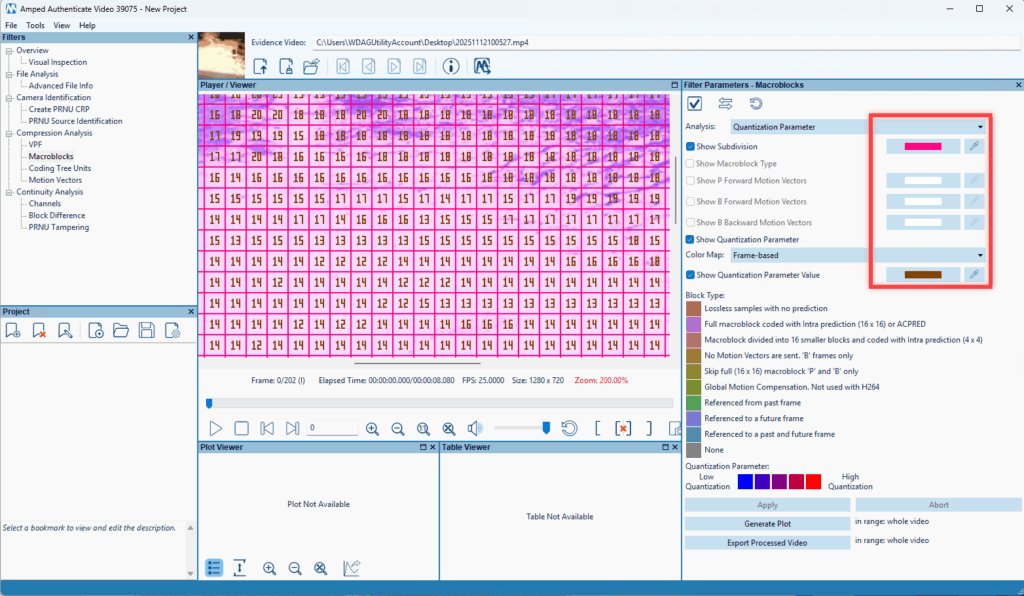
Furthermore, reporting is cleaner too, with a new “Input files hash and info” section. Also, visual analysis is easier to read thanks to customizable CTU/Macroblock overlays and new Quantization Parameter color-map options.
Faster Deepfake Triage
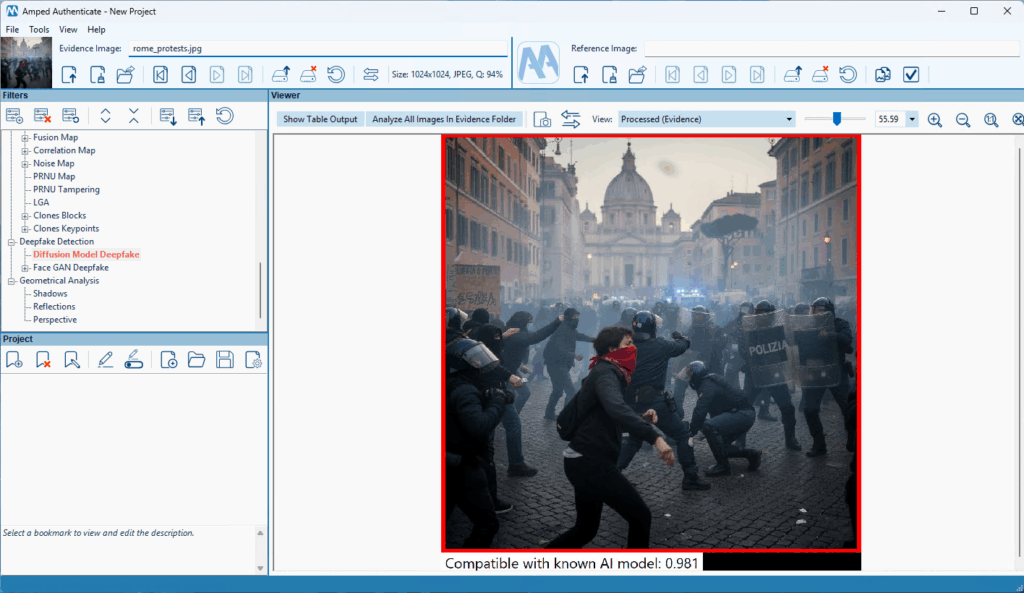
The Diffusion Model Deepfake filter now gives you two clear scores:
- compatibility
- non-compatibility with known diffusion models
It adds a clean visual cue around your image, making results easier to interpret at a glance. For larger workloads, you can run the deepfake check in batch on images and jump straight from the summary table to deeper analysis.
Scale Your First Analysis
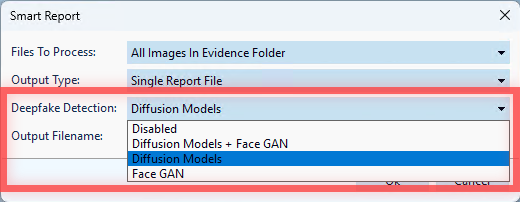
Deepfake Detection (Face GAN and Diffusion Model) can now run inside the Smart Report. Consequently, your initial analysis detects potential issues early, right alongside other automated checks. You decide when to enable it, keeping triage lean while still catching what counts. It’s a practical boost to your first-look workflow without replacing a full examination.
Workflow that Fits You
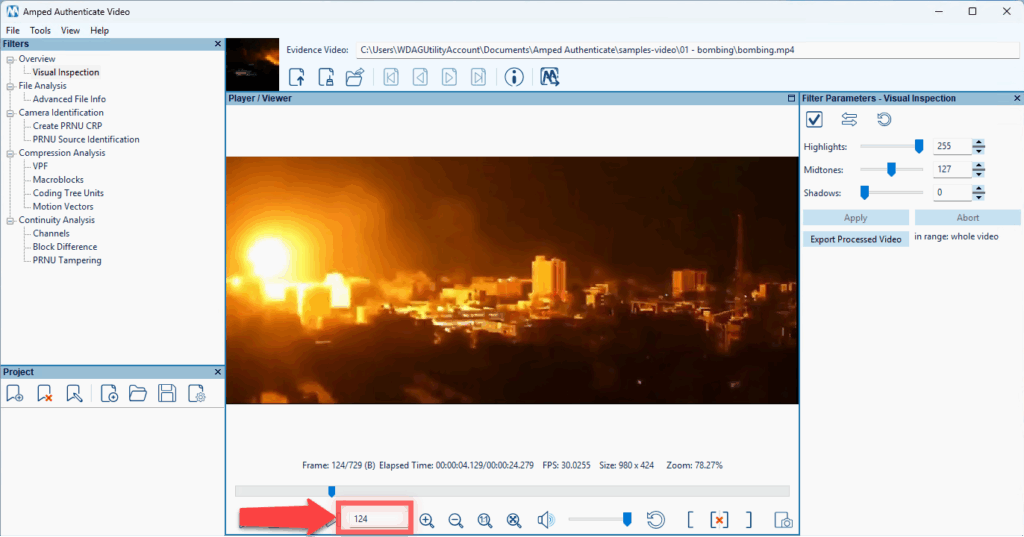
Authenticate now aligns its Image and Video Modes with dockable panels in Image Mode, letting you tailor the workspace to your habits. You choose whether new files open in Visual Inspection or the currently selected filter. In Video Mode, you can jump directly to a specific frame by typing its number.
Report Once, Reference Often
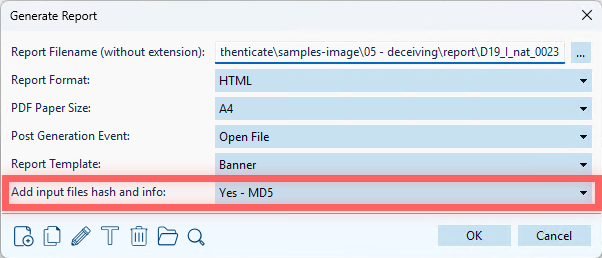
For large projects, you can now add “Input files hash and info” at the top of your report. This will group file details and hashes in a single, easy-to-cite section, while keeping bookmark hashes intact. Your documentation gets clearer for reviewers and more efficient for you.
Visual Tools that Adapt to Your Footage
In Macroblocks and Coding Tree Units filters, you can customize subdivision and motion-vector colors (helpful for bright footage) and choose frame-based or absolute color maps for Quantization Parameter visualization.
Final Word
Read the full blog post to discover all the new improvements included in the latest Amped Authenticate update.