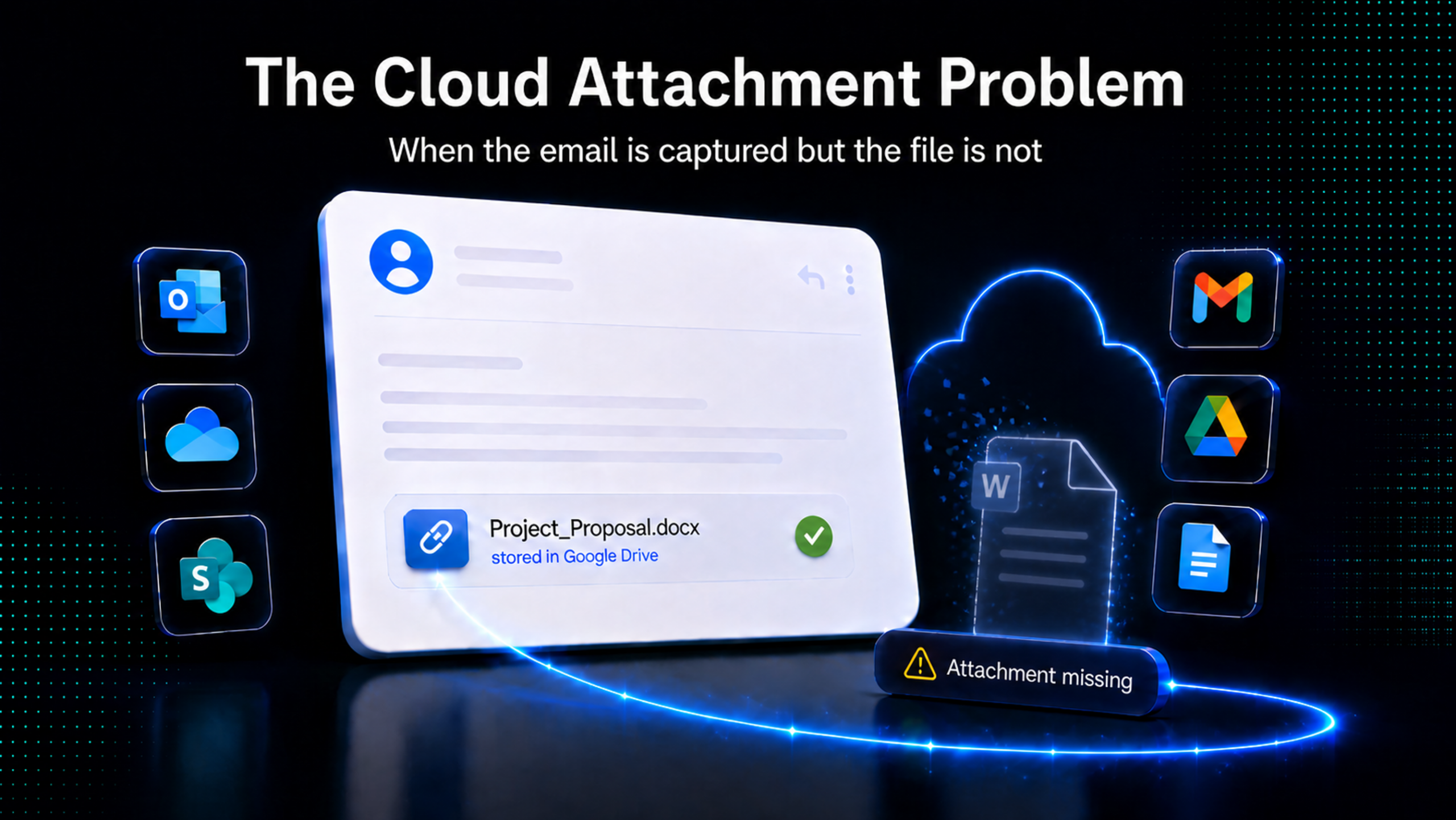
A custodian sends a contract draft to opposing counsel. A decade ago, the file would almost certainly have travelled with the message as a Base64-encoded MIME attachment, bound to it forever. Today, the same exchange often looks different: the message body contains a hyperlink to a OneDrive, SharePoint, or Google Drive document. The recipient clicks through to view the file, which lives outside the mailbox, often in the sender’s OneDrive, a SharePoint site, a Microsoft 365 Group, or Google Drive, subject to that repository’s permissions and version history.
When investigators collect that email through a standard export—PST, mbox, EML, or a workflow that does not explicitly resolve modern attachments—they capture the URL. They do not necessarily capture the file the URL points to. Months or years later, when the matter requires the document itself, the file may be a different version, owned by a different user, blocked by revoked permissions, or simply gone.
This is not a corner case. Microsoft 365 and Google Workspace have made cloud-hosted documents the default sharing mechanism for business communication. The Sedona Conference’s April 2025 Commentary on Discovery of Modern Collaboration and Communications Platforms treats them as a primary discovery surface, and U.S. courts, from In re StubHub through In re Uber, have moved toward recognizing linked documents as discoverable, with outcomes anchored in proportionality and the parties’ ESI protocol. The operational question now turns on tooling: whether a producing party’s collection workflow can actually retrieve the content the link points to.
For most general-purpose forensic and eDiscovery platforms, the answer is: not without additional tooling.
Why Standard Collection Workflows Miss the File
The reason is structural, not procedural. A traditional MIME attachment is encoded in the message itself; collecting the message collects the attachment, full stop. A cloud attachment is a URL pointing to an external repository governed by its own API, its own permissions model, and its own version history. Standard email-export formats preserve the URL faithfully and the file content not at all.
Two failure modes recur in practitioner commentary, both named in the April 2026 draft of the Reconstruction-Grade eDiscovery Standard (RG Standard): the Preservation Gap and the Context Gap.
The Preservation Gap is the case where the referenced content is never preserved. The link existed and the file existed, but by the time collection occurs the file has been deleted, moved, renamed, or had its permissions revoked. Without a prospective hold or retention rule applied before transmission, no tool, native or third-party, can recover what no longer exists.
The Context Gap is the case where the file is preserved, but not in the state that existed when the message was sent. Most native and third-party tools retrieve the current version by default. For frequently edited collaborative documents, the difference between “current” and “as-sent” can be material, and the rule of completeness (Federal Rule of Evidence 106) has begun to feature in objections to productions that elide the distinction.
Native eDiscovery tooling addresses these gaps unevenly. Microsoft Purview eDiscovery (Standard) returns only the link; the linked file content is reachable only through Microsoft Purview eDiscovery (Premium), which requires E5-level licensing or an eDiscovery Premium add-on, and is widely reported to throttle at approximately 2 GB per hour.
Google Vault has been able to export linked Drive files since December 2023, but a Vault Gmail export with linked-file collection returns only the current version, and the Gmail-to-Drive family relationship is not preserved on import into most general-purpose review platforms. Even teams with mature eDiscovery infrastructure often end up with two parallel datasets—emails on one side, files on the other—and a manual reconciliation problem on top.
What “Collecting the Cloud Attachment” Actually Requires
A defensible workflow needs four capabilities, in a single pass. It must detect the cloud-attachment hyperlinks present in collected emails and distinguish them from ordinary URLs. It must authenticate to the relevant repository, whether OneDrive Personal, OneDrive for Business, SharePoint, or Google Drive, using credentials with sufficient scope to reach the linked file. It must retrieve the file and its associated metadata, ideally including the version that existed at the message timestamp. And it must record what it could not retrieve, with enough fidelity that the resulting exception set is auditable rather than opaque.
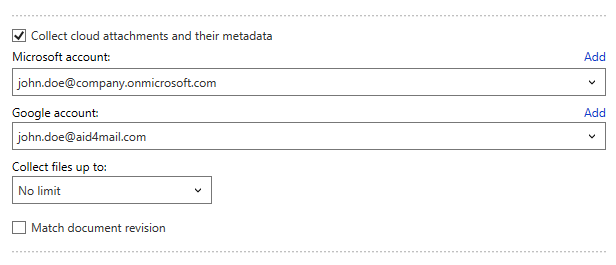
Aid4Mail, in its Investigator and Enterprise editions, does this work as part of its email-collection pipeline rather than as a separate downstream step. When the Collect cloud attachments and their metadata option is enabled, Aid4Mail scans each processed email for hyperlinks pointing to supported cloud repositories. For Microsoft sources, authentication uses Microsoft Graph in either App-Only or delegated mode; for Google sources, OAuth 2.1 against the Drive API. App-Only Access permits tenant-wide Microsoft 365 collection without per-custodian credential entry.
These four requirements—detection, authenticated retrieval, contemporaneous versioning, and per-file exception logging—are met in a single configuration step rather than as separate downstream stages.
For each cloud attachment Aid4Mail processes, a row is written to a per-collection FileMetadata.csv file. The schema captures what a forensic chain of custody calls for: the file’s identifiers and properties (DocId, FileName, MimeType, FileSize, Title); the access roles in place at collection time (Author, Collaborators, Viewers); UTC creation and modification timestamps; the original Hyperlink and, where available, the resolved DownloadLink; the source repository (Google Vault, Google Drive, OneDrive, or SharePoint); the parent message’s EDRM MIH hash, which preserves the email-to-file linkage; and the Version identifier when revision matching is enabled. The full schema is documented in the Cloud Attachments User Guide.
A per-file Status field rounds out the schema. Values include file found, file saved, 401 unauthorized, 403 forbidden, 404 file not found, 429 unavailable, save error, and unzip error, among others. The per-file accounting matters: an exception set built from these codes can be reproduced, defended, and where appropriate remediated. A linked file that returned 403 today may be reachable tomorrow with broader scope; one that returned 404 should be flagged in the production rather than silently omitted.
When the Match document revision option is enabled, Aid4Mail queries the cloud API for the document’s revision history and retrieves the revision current at the message’s send time, appending the version identifier to the saved filename in square brackets (for example, MyFile [59].docx). This is the closest any third-party tool can practically come to closing the Context Gap without prospective retention.
It is not a complete answer. Revision matching depends on the repository retaining the relevant revision in its history, and the Cloud Attachments User Guide documents a real operational caveat: cloud providers send automated notification emails when documents are shared, edited, or commented on, with provider-specific behaviour. Google may notify for batches of edits or comments; Microsoft notifies for comments, not edits alone. Treating every notification’s timestamp as a separate match can produce many revisions of the same file. For routine matters, leaving revision matching unchecked and relying on the latest available version is the recommended default; for litigation-critical matters where the as-sent version is required, enabling it deliberately is appropriate.
Aid4Mail is positioned as a complement to general-purpose forensic and eDiscovery platforms, not a replacement. These platforms—AXIOM, Nuix, Intella—handle the broader forensic and review workflow; Aid4Mail’s cloud-attachment collection runs upstream and feeds into them. Aid4Mail acquires the email and the linked file content together, saves the collected files to the configured cloud-attachment location, records each file alongside its parent message in FileMetadata.csv using the EDRM MIH hash as the linkage, and exports the email collection to the target format the primary platform expects (PST, MSG, EML, mbox, PDF, or a structured load file).
A Practical Scenario
Consider an internal investigation into suspected pre-resignation IP movement. The custodian’s mailbox contains roughly 18,000 emails across an Exchange Online mailbox and an associated Google Workspace account used during a recent acquisition. Pre-acquisition filtering on Date >= 2025-09-01 and a small list of project keywords reduces the working set to about 2,400 messages. Of those, perhaps 300 contain hyperlinks to OneDrive, SharePoint, or Google Drive documents: technical specifications, draft proposals, customer lists, and an unusually high volume of “for review” links sent to a personal Gmail address in the final two weeks of employment.
Without cloud-attachment collection, the investigator finishes with 2,400 emails, 300 URLs, and an open question: what was actually shared? Following each link manually is impractical, and many will resolve to “you do not have access” by the time the investigation reaches them.
With cloud-attachment collection enabled and revision matching turned on for this matter, Aid4Mail retrieves the file content, saves it to the configured cloud-attachment location, and produces a FileMetadata.csv showing which files were saved successfully, which returned 403 (permissions revoked, now a fact pattern in its own right), and which returned 404 (deleted, worth correlating with the custodian’s deletion activity in audit logs). Where revision history exists in OneDrive, SharePoint, or Drive, the as-sent version is preserved with its version identifier in the filename. The exception set becomes the artifact of the collection rather than a gap in it.
The same workflow handles Microsoft and Google sources without switching tools, exports to the format the matter’s primary review platform expects, and runs unattended once configured.
Limits Worth Stating Plainly
No tool can recover content that no longer exists or was never in scope. If the file was deleted before collection began and no retention policy or hold caught it, it is gone; the link in the email is the only surviving evidence that it existed at all. If the custodian’s permissions to a third-party SharePoint site or external Drive folder were revoked before collection, the file is unreachable through the custodian’s credentials. Native Drive file types (Docs, Sheets, Slides, Forms) are exported through the Drive API as Office or CSV equivalents and are subject to Google’s approximate 10 MB per-file export ceiling. Heavy revision-history collection on heavily edited documents can trigger HTTP 429 throttling, which Aid4Mail logs per file so that missed items remain auditable.
These are constraints of the underlying APIs and retention model, not artifacts of any particular tool. The practical implication is that the producing party that combines proportional cloud-attachment collection with prospective retention configuration lands on the defensible side of the line. As Craig Ball observed in his April 2026 commentary on the RG Standard draft, producing the wrong version of a responsive document is a problem; producing nothing because no version is provably “correct” is a worse one.
Closing the Loop: Linked File to AI Classification
Cloud-attachment collection earns most of its value when it integrates with everything that follows it. In Aid4Mail, collected files feed directly into post-acquisition filtering, the engine that searches inside attachment contents using the same operator set as for message bodies—Boolean, fielded, proximity, regex, and multilingual. From there, the same data feeds into AI-assisted classification when configured. With attachment inclusion enabled in the AI workflow, extracted text from supported cloud-attachment files can be sent to the model as part of the same payload as the email body, subject to extraction, size, and context-window limits. This allows the model to assess the message and the document it referenced together in one classification pass.
The practical consequence is that an investigator does not need to collect cloud attachments as a discrete preliminary step before applying AI classification. Where supported files are accessible and within scope, Aid4Mail handles collection, metadata capture, post-acquisition filtering, AI classification, and target export as a single unattended workflow from source to deliverable.
The first article in this series, Beyond Keywords: AI Classification for Forensic Email Review, examined how that AI layer works in detail, with benchmark accuracy data and the offline deployment options that matter for air-gapped environments. With cloud-attachment collection in place, the same classification logic can reach into the documents behind the links instead of stopping at the URL, which, increasingly, is where the relevant evidence has gone.
To evaluate cloud-attachment collection on your own data, download the Aid4Mail free trial and enable the Collect cloud attachments and their metadata option in a test session.
About Aid4Mail™

Aid4Mail is specialized email forensics and eDiscovery software developed by Fookes Software Ltd, a Swiss software company founded in 1996. In continuous development since 2005, it handles the complete email evidence workflow—collection from cloud and local sources, recovery of deleted and corrupted mail, AI-powered analysis, and export to industry-standard review formats—functioning as a specialist complement to general-purpose forensic platforms. Aid4Mail is trusted by Fortune 500 companies, the U.S. Department of Justice, the FBI, and professionals in over 100 countries.